About Foldr
All your files. One app. Anywhere. Access. Edit. Share. Search. Manage. All with a single sign-in. Foldr brings your organisation’s existing file servers and cloud storage together into one fast, secure, and easy-to-use...
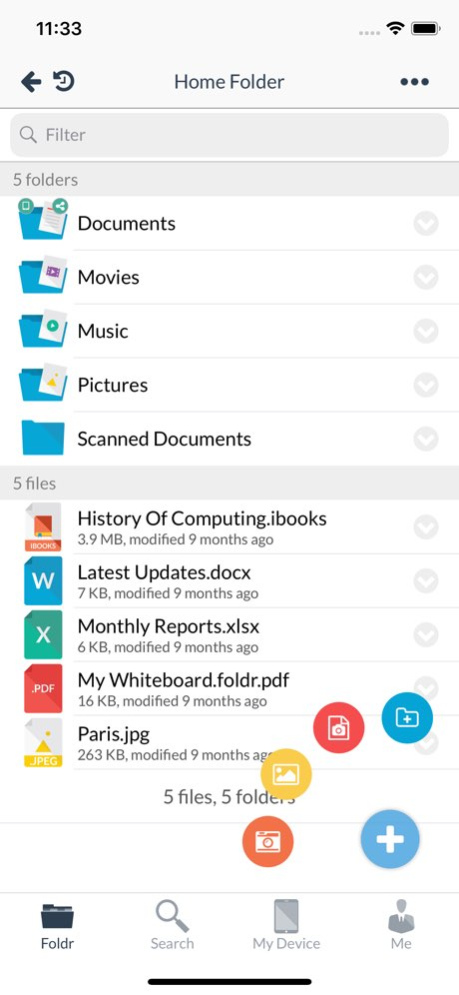
All your files. One app. Anywhere. Access. Edit. Share. Search. Manage. All with a single sign-in. Foldr brings your organisation’s existing file servers and cloud storage together into one fast, secure, and easy-to-use app. Whether you’re on campus, in the office, or on the move, everything you need is just a tap away. No VPNs. No file juggling. No learning curve. Just instant access to your documents - wherever work happens. Important - A Foldr server is required for this app to work. The app does not provide access on its own. Request a free Foldr server trial at foldr.io/trial. Powerful features, built for real work . No new accounts - Works with your existing Active Directory, Microsoft Entra, or Google Workspace . Hybrid cloud, unified - Access file servers, Google Drive, Microsoft 365, and Dropbox in one place . Live document editing - Edit Office documents directly without creating duplicates . Go paperless - Scan documents to PDF with automatic capture and alignment . Secure collaboration - Share files and folders with users inside and outside your organisation . Fast access - Bookmark important files and folders for one-tap access . Security first - Built-in support for Passkeys, Two-Factor Authentication and Active Directory password controls
Version History Fixed the UI gremlins that have been rearranging your pixels at night. Plus, Foldr for iOS now plays nicely with our upcoming cloud service - like a well-behaved houseguest who actually does the dishes. 5.20.0 May 13 What’s new in Foldr? Sign in faster and more securely with full Passkey support - no passwords to remember, no additional MFA, no phishing, and a smoother login experience. Plus, we’ve fixed an issue that could cause uploads to stall. 5.18.0 Jan 15 We regularly release app updates to bring you the latest features and improvements as well as squash the occasional bug. Make sure that you stay up to date to ensure that you too can experience File Zen. This one fixes an issue which could cause the Files app to constantly request authentication when accessing Foldr. 5.13.0 03/04/2025 Scan images and multi-page documents to Foldr right from your home screen with our all new shortcut! Press and hold on the app icon and choose "Scan With Camera" to get started. Foldr will now remember the format that you save your scans in so you won't be prompted each time. We regularly release app updates to bring you the latest features and improvements as well as squash the occasional bug. Make sure that you stay up to date to ensure that you too can experience File Zen. 5.12.0 02/13/2025 Scan images and multi-page documents to Foldr right from your home screen with our all new shortcut! Press and hold on the app icon and choose "Scan With Camera" to get started. We regularly release app updates to bring you the latest features and improvements as well as squash the occasional bug. Make sure that you stay up to date to ensure that you too can experience File Zen. 5.9.0 01/16/2025 This one fixes some more issues with Files and iOS 18. We regularly release app updates to bring you the latest features and improvements as well as squash the occasional bug. Make sure that you stay up to date to ensure that you too can experience File Zen. 5.5.0 11/26/2024 This one fixes some issues with Files and iOS 18. We regularly release app updates to bring you the latest features and improvements as well as squash the occasional bug. Make sure that you stay up to date to ensure that you too can experience File Zen. 5.4.0 11/20/2024 We're super-excited to bring Effortless Automation to Foldr for iOS. The all-new MaSH it menu allows users to run scripts and automations from the palm of their hand. MaSH is the all-new super intuitive scripting and automation platform that goes beyond document management and enables document mastery for your entire organisation. Behind the scenes our File Zen masters have been hard at work reworking the user experience to make the Foldr app an even nicer place to be. You'll find all-new menus and other graphic changes throughout the app. We regularly release app updates to bring you the latest features and improvements as well as squash the occasional bug. Make sure that you stay up to date to ensure that you too can experience File Zen. 5.0.0 08/09/2024 Fixes and feature updates. We regularly release app updates to bring you the latest features and improvements as well as squash the occasional bug. Make sure that you stay up to date to ensure that you too can experience File Zen. 4.11.6 12/19/2023 What's new in Foldr for iOS? This update allows you to open and run saved searches - from the palm of your hand! The clocks may have gone back, but search in Foldr has taken a great leap forward. We've given everything a bit of a "File Zen" makeover. Our amazing devs have integrated the same advanced search tools you'll find in Foldr on the web into our iPhone and iPad apps. Search across all your storage locations, construct advanced queries and save and share your searches all from the same app. We regularly release app updates to bring you the latest features and improvements as well as squash the occasional bug. Make sure that you stay up to date to ensure that you too can experience File Zen. 4.11.5 11/07/2023 What's new in Foldr for iOS? The clocks may have gone back, but search in Foldr has taken a great leap forward. We've given everything a bit of a "File Zen" makeover. Our amazing devs have integrated the same advanced search tools you'll find in Foldr on the web into our iPhone and iPad apps. Search across all your storage locations, construct advanced queries and save and share your searches all from the same app. We regularly release app updates to bring you the latest features and improvements as well as squash the occasional bug. Make sure that you stay up to date to ensure that you too can experience File Zen. 4.11.4 11/01/2023 What's new in Foldr for iOS? Fix a small bug affecting Office document editing. New in 4.10.19 - Custom Fields. Add text, numbers, dates, signatures and other custom metadata to files. New in 4.10.17 - Resizable columns on iPads. Quickly drag the file list out to see longer file names. Fixes in 4.10.14 - Fix an issue with synchronising offline files in subfolders. Fixes in 4.10.12 - Fix an issue with synchronising offline files when signed out of the app. New in 4.10.6 - We have temporarily removed the PDF annotation component. Files can still be marked up through Foldr by using a separate annotation application. Fixes in 4.10.5 - We've fixed a few issues around processing and uploading multiple video files Fixes in 4.10.1 - Fixed an issue with getting search results from certain cloud storage providers What's new in 4.10 - All-new document scanner with multi-page support - Improved audio player - Updated PDF tools - A few iOS14 UI fixes PLEASE NOTE that due to some of these new features we are no longer able to support iOS11 Fixes in 4.9.7 - We've fixed a crash when a shared item had a start date but no expiry. Fixes in 4.9.6 - We've fixed an issue which could cause uploads to become stalled and stuck in the queue. What's new in 4.9.4 - Reworked the app settings screen What's new in 4.9.3 - Added the ability to create a support bundle for troubleshooting Fixes in 4.9.3 - Fixed an issue which could cause a crash when syncing offline files Plus the usual interface tweaks and fixes Fixes in 4.9.1 - Fixed an issue with saving documents using Files from within Microsoft Office What's new in 4.9 - Quick Edit for Microsoft Office documents. Open docx, xlsx and pptx files directly from Foldr for iOS, make your changes and tap the back arrow to have them saved straight back to Foldr. What's new in 4.8.3 - iOS 13 dark mode support - Icon and visual refresh Fixes in 4.8.3 - Fixed an issue with the Files app and shared mode - Fixed an issue with connecting to Foldr servers that use a custom port number What's new in 4.8 - Web sign-in support - Device approval support Plus the usual interface tweaks and fixes Fixes in Foldr 4.7.21 - Fixes an issue with importing multiple photos when synced to iCloud What's new in 4.7.20 - Your shared items will now load much quicker thanks to some nifty pagination Fixes in Foldr 4.7.20 - Fixes an issue with importing files from other apps with illegal characters in their names Fixes an issue with image orientation when using the camera from inside the app Fixes in Foldr 4.7.19 - Restored the "Move" item to the long-press menu for files and folders Fixes in Foldr 4.7.18 - Fixes an issue which could cause Files to report "Content Unavailable" when connected to a server with custom graphics Fixes in Foldr 4.7.17 - Fixes an issue which could cause My Files to be empty Fixes in Foldr 4.7.16 - Restored Document Provider functionality for iOS 10 Fixes in Foldr 4.7.15 - Fixed a crash when using spaces and other invalid characters in the server address 4.10.20 06/22/2023 What's new in Foldr for iOS? Tis the season for... custom fields! Now you can add and update advanced metadata to all your files and even sign documents inside Foldr for iOS. New in 4.10.19 - Custom Fields. Add text, numbers, dates, signatures and other custom metadata to files. New in 4.10.17 - Resizable columns on iPads. Quickly drag the file list out to see longer file names. Fixes in 4.10.14 - Fix an issue with synchronising offline files in subfolders. Fixes in 4.10.12 - Fix an issue with synchronising offline files when signed out of the app. New in 4.10.6 - We have temporarily removed the PDF annotation component. Files can still be marked up through Foldr by using a separate annotation application. Fixes in 4.10.5 - We've fixed a few issues around processing and uploading multiple video files Fixes in 4.10.1 - Fixed an issue with getting search results from certain cloud storage providers What's new in 4.10 - All-new document scanner with multi-page support - Improved audio player - Updated PDF tools - A few iOS14 UI fixes PLEASE NOTE that due to some of these new features we are no longer able to support iOS11 Fixes in 4.9.7 - We've fixed a crash when a shared item had a start date but no expiry. Fixes in 4.9.6 - We've fixed an issue which could cause uploads to become stalled and stuck in the queue. What's new in 4.9.4 - Reworked the app settings screen What's new in 4.9.3 - Added the ability to create a support bundle for troubleshooting Fixes in 4.9.3 - Fixed an issue which could cause a crash when syncing offline files Plus the usual interface tweaks and fixes Fixes in 4.9.1 - Fixed an issue with saving documents using Files from within Microsoft Office What's new in 4.9 - Quick Edit for Microsoft Office documents. Open docx, xlsx and pptx files directly from Foldr for iOS, make your changes and tap the back arrow to have them saved straight back to Foldr. What's new in 4.8.3 - iOS 13 dark mode support - Icon and visual refresh Fixes in 4.8.3 - Fixed an issue with the Files app and shared mode - Fixed an issue with connecting to Foldr servers that use a custom port number What's new in 4.8 - Web sign-in support - Device approval support Plus the usual interface tweaks and fixes Fixes in Foldr 4.7.21 - Fixes an issue with importing multiple photos when synced to iCloud What's new in 4.7.20 - Your shared items will now load much quicker thanks to some nifty pagination Fixes in Foldr 4.7.20 - Fixes an issue with importing files from other apps with illegal characters in their names Fixes an issue with image orientation when using the camera from inside the app Fixes in Foldr 4.7.19 - Restored the "Move" item to the long-press menu for files and folders Fixes in Foldr 4.7.18 - Fixes an issue which could cause Files to report "Content Unavailable" when connected to a server with custom graphics Fixes in Foldr 4.7.17 - Fixes an issue which could cause My Files to be empty Fixes in Foldr 4.7.16 - Restored Document Provider functionality for iOS 10 Fixes in Foldr 4.7.15 - Fixed a crash when using spaces and other invalid characters in the server address 4.10.19 12/01/2022 What's new in Foldr for iOS? iPad UI updates plus tweaks and fixes. New in 4.10.17 - Resizable columns on iPads. Quickly drag the file list out to see longer file names. Fixes in 4.10.14 - Fix an issue with synchronising offline files in subfolders. Fixes in 4.10.12 - Fix an issue with synchronising offline files when signed out of the app. New in 4.10.6 - We have temporarily removed the PDF annotation component. Files can still be marked up through Foldr by using a separate annotation application. Fixes in 4.10.5 - We've fixed a few issues around processing and uploading multiple video files Fixes in 4.10.1 - Fixed an issue with getting search results from certain cloud storage providers What's new in 4.10 - All-new document scanner with multi-page support - Improved audio player - Updated PDF tools - A few iOS14 UI fixes PLEASE NOTE that due to some of these new features we are no longer able to support iOS11 Fixes in 4.9.7 - We've fixed a crash when a shared item had a start date but no expiry. Fixes in 4.9.6 - We've fixed an issue which could cause uploads to become stalled and stuck in the queue. What's new in 4.9.4 - Reworked the app settings screen What's new in 4.9.3 - Added the ability to create a support bundle for troubleshooting Fixes in 4.9.3 - Fixed an issue which could cause a crash when syncing offline files Plus the usual interface tweaks and fixes Fixes in 4.9.1 - Fixed an issue with saving documents using Files from within Microsoft Office What's new in 4.9 - Quick Edit for Microsoft Office documents. Open docx, xlsx and pptx files directly from Foldr for iOS, make your changes and tap the back arrow to have them saved straight back to Foldr. What's new in 4.8.3 - iOS 13 dark mode support - Icon and visual refresh Fixes in 4.8.3 - Fixed an issue with the Files app and shared mode - Fixed an issue with connecting to Foldr servers that use a custom port number What's new in 4.8 - Web sign-in support - Device approval support Plus the usual interface tweaks and fixes Fixes in Foldr 4.7.21 - Fixes an issue with importing multiple photos when synced to iCloud What's new in 4.7.20 - Your shared items will now load much quicker thanks to some nifty pagination Fixes in Foldr 4.7.20 - Fixes an issue with importing files from other apps with illegal characters in their names Fixes an issue with image orientation when using the camera from inside the app Fixes in Foldr 4.7.19 - Restored the "Move" item to the long-press menu for files and folders Fixes in Foldr 4.7.18 - Fixes an issue which could cause Files to report "Content Unavailable" when connected to a server with custom graphics Fixes in Foldr 4.7.17 - Fixes an issue which could cause My Files to be empty Fixes in Foldr 4.7.16 - Restored Document Provider functionality for iOS 10 Fixes in Foldr 4.7.15 - Fixed a crash when using spaces and other invalid characters in the server address Fixes in Foldr 4.7.14 - Fixed a potential crash when uploading multiple pictures from Photos - Fixed an encoding issue when setting the modified dates on files Fixes in Foldr 4.7.13 - Fixed an issue with PDF annotations. Fixes in Foldr 4.7.12 - Fixed a crash with older iOS devices. PLEASE NOTE - this will be our last release supporting devices running iOS9. 4.10.17 09/08/2022 What's new in Foldr for iOS? Scan multi-page documents and upload them directly to your cloud and on-premise storage. Foldr's got a brand new bag! Well... a brand new scanner anyway. We've completely rewritten the document scanner to make it faster, smoother and smarter. We've also made it possible to scan multiple pages in one go and then save them as a single PDF document (or individual images if you'd rather). Once you've scanned you can go to work annotating using our improved PDF tools and then share the results with other users or the wider world. All from a single app! Fixes in 4.10.14 - Fix an issue with synchronising offline files in subfolders. Fixes in 4.10.12 - Fix an issue with synchronising offline files when signed out of the app. New in 4.10.6 - We have temporarily removed the PDF annotation component. Files can still be marked up through Foldr by using a separate annotation application. Fixes in 4.10.5 - We've fixed a few issues around processing and uploading multiple video files Fixes in 4.10.1 - Fixed an issue with getting search results from certain cloud storage providers What's new in 4.10 - All-new document scanner with multi-page support - Improved audio player - Updated PDF tools - A few iOS14 UI fixes PLEASE NOTE that due to some of these new features we are no longer able to support iOS11 Fixes in 4.9.7 - We've fixed a crash when a shared item had a start date but no expiry. Fixes in 4.9.6 - We've fixed an issue which could cause uploads to become stalled and stuck in the queue. What's new in 4.9.4 - Reworked the app settings screen What's new in 4.9.3 - Added the ability to create a support bundle for troubleshooting Fixes in 4.9.3 - Fixed an issue which could cause a crash when syncing offline files Plus the usual interface tweaks and fixes Fixes in 4.9.1 - Fixed an issue with saving documents using Files from within Microsoft Office What's new in 4.9 - Quick Edit for Microsoft Office documents. Open docx, xlsx and pptx files directly from Foldr for iOS, make your changes and tap the back arrow to have them saved straight back to Foldr. What's new in 4.8.3 - iOS 13 dark mode support - Icon and visual refresh Fixes in 4.8.3 - Fixed an issue with the Files app and shared mode - Fixed an issue with connecting to Foldr servers that use a custom port number What's new in 4.8 - Web sign-in support - Device approval support Plus the usual interface tweaks and fixes Fixes in Foldr 4.7.21 - Fixes an issue with importing multiple photos when synced to iCloud What's new in 4.7.20 - Your shared items will now load much quicker thanks to some nifty pagination Fixes in Foldr 4.7.20 - Fixes an issue with importing files from other apps with illegal characters in their names Fixes an issue with image orientation when using the camera from inside the app Fixes in Foldr 4.7.19 - Restored the "Move" item to the long-press menu for files and folders Fixes in Foldr 4.7.18 - Fixes an issue which could cause Files to report "Content Unavailable" when connected to a server with custom graphics Fixes in Foldr 4.7.17 - Fixes an issue which could cause My Files to be empty Fixes in Foldr 4.7.16 - Restored Document Provider functionality for iOS 10 Fixes in Foldr 4.7.15 - Fixed a crash when using spaces and other invalid characters in the server address Fixes in Foldr 4.7.14 - Fixed a potential crash when uploading multiple pictures from Photos - Fixed an encoding issue when setting the modified dates on files Fixes in Foldr 4.7.13 - Fixed an issue with PDF annotations. Fixes in Foldr 4.7.12 - Fixed a crash with older iOS devices. PLEASE NOTE - this will be our last release supporting devices running iOS9. 4.10.14 05/25/2022 What's new in Foldr for iOS? Scan multi-page documents and upload them directly to your cloud and on-premise storage. Foldr's got a brand new bag! Well... a brand new scanner anyway. We've completely rewritten the document scanner to make it faster, smoother and smarter. We've also made it possible to scan multiple pages in one go and then save them as a single PDF document (or individual images if you'd rather). Once you've scanned you can go to work annotating using our improved PDF tools and then share the results with other users or the wider world. All from a single app! Fixes in 4.10.12 - Fix an issue with synchronising offline files when signed out of the app. New in 4.10.6 - We have temporarily removed the PDF annotation component. Files can still be marked up through Foldr by using a separate annotation application. Fixes in 4.10.5 - We've fixed a few issues around processing and uploading multiple video files Fixes in 4.10.1 - Fixed an issue with getting search results from certain cloud storage providers What's new in 4.10 - All-new document scanner with multi-page support - Improved audio player - Updated PDF tools - A few iOS14 UI fixes PLEASE NOTE that due to some of these new features we are no longer able to support iOS11 Fixes in 4.9.7 - We've fixed a crash when a shared item had a start date but no expiry. Fixes in 4.9.6 - We've fixed an issue which could cause uploads to become stalled and stuck in the queue. What's new in 4.9.4 - Reworked the app settings screen What's new in 4.9.3 - Added the ability to create a support bundle for troubleshooting Fixes in 4.9.3 - Fixed an issue which could cause a crash when syncing offline files Plus the usual interface tweaks and fixes Fixes in 4.9.1 - Fixed an issue with saving documents using Files from within Microsoft Office What's new in 4.9 - Quick Edit for Microsoft Office documents. Open docx, xlsx and pptx files directly from Foldr for iOS, make your changes and tap the back arrow to have them saved straight back to Foldr. What's new in 4.8.3 - iOS 13 dark mode support - Icon and visual refresh Fixes in 4.8.3 - Fixed an issue with the Files app and shared mode - Fixed an issue with connecting to Foldr servers that use a custom port number What's new in 4.8 - Web sign-in support - Device approval support Plus the usual interface tweaks and fixes Fixes in Foldr 4.7.21 - Fixes an issue with importing multiple photos when synced to iCloud What's new in 4.7.20 - Your shared items will now load much quicker thanks to some nifty pagination Fixes in Foldr 4.7.20 - Fixes an issue with importing files from other apps with illegal characters in their names Fixes an issue with image orientation when using the camera from inside the app Fixes in Foldr 4.7.19 - Restored the "Move" item to the long-press menu for files and folders Fixes in Foldr 4.7.18 - Fixes an issue which could cause Files to report "Content Unavailable" when connected to a server with custom graphics Fixes in Foldr 4.7.17 - Fixes an issue which could cause My Files to be empty Fixes in Foldr 4.7.16 - Restored Document Provider functionality for iOS 10 Fixes in Foldr 4.7.15 - Fixed a crash when using spaces and other invalid characters in the server address Fixes in Foldr 4.7.14 - Fixed a potential crash when uploading multiple pictures from Photos - Fixed an encoding issue when setting the modified dates on files Fixes in Foldr 4.7.13 - Fixed an issue with PDF annotations. Fixes in Foldr 4.7.12 - Fixed a crash with older iOS devices. PLEASE NOTE - this will be our last release supporting devices running iOS9. 4.10.12 04/19/2022 What's new in Foldr for iOS? **IMPORTANT** To allow us to continue to develop Foldr to be the best storage access solution we have had to temporarily remove PDF annotation from the app. You can of course use another app to access your files through Foldr and annotate. See https://kb.foldr.io for more details. Scan multi-page documents and upload them directly to your cloud and on-premise storage. Foldr's got a brand new bag! Well... a brand new scanner anyway. We've completely rewritten the document scanner to make it faster, smoother and smarter. We've also made it possible to scan multiple pages in one go and then save them as a single PDF document (or individual images if you'd rather). Once you've scanned you can go to work annotating using our improved PDF tools and then share the results with other users or the wider world. All from a single app! New in 4.10.6 - We have temporarily removed the PDF annotation component. Files can still be marked up through Foldr by using a separate annotation application. Fixes in 4.10.5 - We've fixed a few issues around processing and uploading multiple video files Fixes in 4.10.1 - Fixed an issue with getting search results from certain cloud storage providers What's new in 4.10 - All-new document scanner with multi-page support - Improved audio player - Updated PDF tools - A few iOS14 UI fixes PLEASE NOTE that due to some of these new features we are no longer able to support iOS11 Fixes in 4.9.7 - We've fixed a crash when a shared item had a start date but no expiry. Fixes in 4.9.6 - We've fixed an issue which could cause uploads to become stalled and stuck in the queue. What's new in 4.9.4 - Reworked the app settings screen What's new in 4.9.3 - Added the ability to create a support bundle for troubleshooting Fixes in 4.9.3 - Fixed an issue which could cause a crash when syncing offline files Plus the usual interface tweaks and fixes Fixes in 4.9.1 - Fixed an issue with saving documents using Files from within Microsoft Office What's new in 4.9 - Quick Edit for Microsoft Office documents. Open docx, xlsx and pptx files directly from Foldr for iOS, make your changes and tap the back arrow to have them saved straight back to Foldr. What's new in 4.8.3 - iOS 13 dark mode support - Icon and visual refresh Fixes in 4.8.3 - Fixed an issue with the Files app and shared mode - Fixed an issue with connecting to Foldr servers that use a custom port number What's new in 4.8 - Web sign-in support - Device approval support Plus the usual interface tweaks and fixes Fixes in Foldr 4.7.21 - Fixes an issue with importing multiple photos when synced to iCloud What's new in 4.7.20 - Your shared items will now load much quicker thanks to some nifty pagination Fixes in Foldr 4.7.20 - Fixes an issue with importing files from other apps with illegal characters in their names Fixes an issue with image orientation when using the camera from inside the app Fixes in Foldr 4.7.19 - Restored the "Move" item to the long-press menu for files and folders Fixes in Foldr 4.7.18 - Fixes an issue which could cause Files to report "Content Unavailable" when connected to a server with custom graphics Fixes in Foldr 4.7.17 - Fixes an issue which could cause My Files to be empty Fixes in Foldr 4.7.16 - Restored Document Provider functionality for iOS 10 Fixes in Foldr 4.7.15 - Fixed a crash when using spaces and other invalid characters in the server address Fixes in Foldr 4.7.14 - Fixed a potential crash when uploading multiple pictures from Photos - Fixed an encoding issue when setting the modified dates on files Fixes in Foldr 4.7.13 - Fixed an issue with PDF annotations. Fixes in Foldr 4.7.12 - Fixed a crash with older iOS devices. PLEASE NOTE - this will be our last release supporting devices running iOS9. 4.10.7 07/20/2021 What's new in Foldr for iOS? Scan multi-page documents and upload them directly to your cloud and on-premise storage. Foldr's got a brand new bag! Well... a brand new scanner anyway. We've completely rewritten the document scanner to make it faster, smoother and smarter. We've also made it possible to scan multiple pages in one go and then save them as a single PDF document (or individual images if you'd rather). Once you've scanned you can go to work annotating using our improved PDF tools and then share the results with other users or the wider world. All from a single app! Fixes in 4.10.5 - We've fixed a few issues around processing and uploading multiple video files Fixes in 4.10.1 - Fixed an issue with getting search results from certain cloud storage providers What's new in 4.10 - All-new document scanner with multi-page support - Improved audio player - Updated PDF tools - A few iOS14 UI fixes PLEASE NOTE that due to some of these new features we are no longer able to support iOS11 Fixes in 4.9.7 - We've fixed a crash when a shared item had a start date but no expiry. Fixes in 4.9.6 - We've fixed an issue which could cause uploads to become stalled and stuck in the queue. What's new in 4.9.4 - Reworked the app settings screen What's new in 4.9.3 - Added the ability to create a support bundle for troubleshooting Fixes in 4.9.3 - Fixed an issue which could cause a crash when syncing offline files Plus the usual interface tweaks and fixes Fixes in 4.9.1 - Fixed an issue with saving documents using Files from within Microsoft Office What's new in 4.9 - Quick Edit for Microsoft Office documents. Open docx, xlsx and pptx files directly from Foldr for iOS, make your changes and tap the back arrow to have them saved straight back to Foldr. What's new in 4.8.3 - iOS 13 dark mode support - Icon and visual refresh Fixes in 4.8.3 - Fixed an issue with the Files app and shared mode - Fixed an issue with connecting to Foldr servers that use a custom port number What's new in 4.8 - Web sign-in support - Device approval support Plus the usual interface tweaks and fixes Fixes in Foldr 4.7.21 - Fixes an issue with importing multiple photos when synced to iCloud What's new in 4.7.20 - Your shared items will now load much quicker thanks to some nifty pagination Fixes in Foldr 4.7.20 - Fixes an issue with importing files from other apps with illegal characters in their names Fixes an issue with image orientation when using the camera from inside the app Fixes in Foldr 4.7.19 - Restored the "Move" item to the long-press menu for files and folders Fixes in Foldr 4.7.18 - Fixes an issue which could cause Files to report "Content Unavailable" when connected to a server with custom graphics Fixes in Foldr 4.7.17 - Fixes an issue which could cause My Files to be empty Fixes in Foldr 4.7.16 - Restored Document Provider functionality for iOS 10 Fixes in Foldr 4.7.15 - Fixed a crash when using spaces and other invalid characters in the server address Fixes in Foldr 4.7.14 - Fixed a potential crash when uploading multiple pictures from Photos - Fixed an encoding issue when setting the modified dates on files Fixes in Foldr 4.7.13 - Fixed an issue with PDF annotations. Fixes in Foldr 4.7.12 - Fixed a crash with older iOS devices. PLEASE NOTE - this will be our last release supporting devices running iOS9. What's new in 4.7.11 - iOS 12 support plus a plethora of bug fixes, performance enhancements and interface tweaks! Fixes in 4.7.11 - Fixed an issue which could cause signing in to be slow - Fixed an issue which could cause uploading multiple images to fail - Fixed issues with connecting to Foldr servers on some networks - Improved speed and performance of Files on iOS 12 - Fixed several "Content Unavailable" issues in Files - Fixed an issue with orientation of annotations on PDFs - Interface tweaks and fixes What's new in 4.7.10 - Support for writable secure public links 4.10.5 02/26/2021 What's new in Foldr for iOS? Scan multi-page documents and upload them directly to your cloud and on-premise storage. Foldr's got a brand new bag! Well... a brand new scanner anyway. We've completely rewritten the document scanner to make it faster, smoother and smarter. We've also made it possible to scan multiple pages in one go and then save them as a single PDF document (or individual images if you'd rather). Once you've scanned you can go to work annotating using our improved PDF tools and then share the results with other users or the wider world. All from a single app! Fixes in 4.10.1 - Fixed an issue with getting search results from certain cloud storage providers What's new in 4.10 - All-new document scanner with multi-page support - Improved audio player - Updated PDF tools - A few iOS14 UI fixes PLEASE NOTE that due to some of these new features we are no longer able to support iOS11 Fixes in 4.9.7 - We've fixed a crash when a shared item had a start date but no expiry. Fixes in 4.9.6 - We've fixed an issue which could cause uploads to become stalled and stuck in the queue. What's new in 4.9.4 - Reworked the app settings screen What's new in 4.9.3 - Added the ability to create a support bundle for troubleshooting Fixes in 4.9.3 - Fixed an issue which could cause a crash when syncing offline files Plus the usual interface tweaks and fixes Fixes in 4.9.1 - Fixed an issue with saving documents using Files from within Microsoft Office What's new in 4.9 - Quick Edit for Microsoft Office documents. Open docx, xlsx and pptx files directly from Foldr for iOS, make your changes and tap the back arrow to have them saved straight back to Foldr. What's new in 4.8.3 - iOS 13 dark mode support - Icon and visual refresh Fixes in 4.8.3 - Fixed an issue with the Files app and shared mode - Fixed an issue with connecting to Foldr servers that use a custom port number What's new in 4.8 - Web sign-in support - Device approval support Plus the usual interface tweaks and fixes Fixes in Foldr 4.7.21 - Fixes an issue with importing multiple photos when synced to iCloud What's new in 4.7.20 - Your shared items will now load much quicker thanks to some nifty pagination Fixes in Foldr 4.7.20 - Fixes an issue with importing files from other apps with illegal characters in their names Fixes an issue with image orientation when using the camera from inside the app Fixes in Foldr 4.7.19 - Restored the "Move" item to the long-press menu for files and folders Fixes in Foldr 4.7.18 - Fixes an issue which could cause Files to report "Content Unavailable" when connected to a server with custom graphics Fixes in Foldr 4.7.17 - Fixes an issue which could cause My Files to be empty Fixes in Foldr 4.7.16 - Restored Document Provider functionality for iOS 10 Fixes in Foldr 4.7.15 - Fixed a crash when using spaces and other invalid characters in the server address Fixes in Foldr 4.7.14 - Fixed a potential crash when uploading multiple pictures from Photos - Fixed an encoding issue when setting the modified dates on files Fixes in Foldr 4.7.13 - Fixed an issue with PDF annotations. Fixes in Foldr 4.7.12 - Fixed a crash with older iOS devices. PLEASE NOTE - this will be our last release supporting devices running iOS9. What's new in 4.7.11 - iOS 12 support plus a plethora of bug fixes, performance enhancements and interface tweaks! Fixes in 4.7.11 - Fixed an issue which could cause signing in to be slow - Fixed an issue which could cause uploading multiple images to fail - Fixed issues with connecting to Foldr servers on some networks - Improved speed and performance of Files on iOS 12 - Fixed several "Content Unavailable" issues in Files - Fixed an issue with orientation of annotations on PDFs - Interface tweaks and fixes What's new in 4.7.10 - Support for writable secure public links Fixes in 4.7.10 - Fixed an issue with duplicating files - Interface tweaks and fixes 4.10.1 11/25/2020 What's new in Foldr for iOS? Scan multi-page documents and upload them directly to your cloud and on-premise storage. Foldr's got a brand new bag! Well... a brand new scanner anyway. We've completely rewritten the document scanner to make it faster, smoother and smarter. We've also made it possible to scan multiple pages in one go and then save them as a single PDF document (or individual images if you'd rather). Once you've scanned you can go to work annotating using our improved PDF tools and then share the results with other users or the wider world. All from a single app! What's new in 4.10 - All-new document scanner with multi-page support - Improved audio player - Updated PDF tools - A few iOS14 UI fixes PLEASE NOTE that due to some of these new features we are no longer able to support iOS11 Fixes in 4.9.7 - We've fixed a crash when a shared item had a start date but no expiry. Fixes in 4.9.6 - We've fixed an issue which could cause uploads to become stalled and stuck in the queue. What's new in 4.9.4 - Reworked the app settings screen What's new in 4.9.3 - Added the ability to create a support bundle for troubleshooting Fixes in 4.9.3 - Fixed an issue which could cause a crash when syncing offline files Plus the usual interface tweaks and fixes Fixes in 4.9.1 - Fixed an issue with saving documents using Files from within Microsoft Office What's new in 4.9 - Quick Edit for Microsoft Office documents. Open docx, xlsx and pptx files directly from Foldr for iOS, make your changes and tap the back arrow to have them saved straight back to Foldr. What's new in 4.8.3 - iOS 13 dark mode support - Icon and visual refresh Fixes in 4.8.3 - Fixed an issue with the Files app and shared mode - Fixed an issue with connecting to Foldr servers that use a custom port number What's new in 4.8 - Web sign-in support - Device approval support Plus the usual interface tweaks and fixes Fixes in Foldr 4.7.21 - Fixes an issue with importing multiple photos when synced to iCloud What's new in 4.7.20 - Your shared items will now load much quicker thanks to some nifty pagination Fixes in Foldr 4.7.20 - Fixes an issue with importing files from other apps with illegal characters in their names Fixes an issue with image orientation when using the camera from inside the app Fixes in Foldr 4.7.19 - Restored the "Move" item to the long-press menu for files and folders Fixes in Foldr 4.7.18 - Fixes an issue which could cause Files to report "Content Unavailable" when connected to a server with custom graphics Fixes in Foldr 4.7.17 - Fixes an issue which could cause My Files to be empty Fixes in Foldr 4.7.16 - Restored Document Provider functionality for iOS 10 Fixes in Foldr 4.7.15 - Fixed a crash when using spaces and other invalid characters in the server address Fixes in Foldr 4.7.14 - Fixed a potential crash when uploading multiple pictures from Photos - Fixed an encoding issue when setting the modified dates on files Fixes in Foldr 4.7.13 - Fixed an issue with PDF annotations. Fixes in Foldr 4.7.12 - Fixed a crash with older iOS devices. PLEASE NOTE - this will be our last release supporting devices running iOS9. What's new in 4.7.11 - iOS 12 support plus a plethora of bug fixes, performance enhancements and interface tweaks! Fixes in 4.7.11 - Fixed an issue which could cause signing in to be slow - Fixed an issue which could cause uploading multiple images to fail - Fixed issues with connecting to Foldr servers on some networks - Improved speed and performance of Files on iOS 12 - Fixed several "Content Unavailable" issues in Files - Fixed an issue with orientation of annotations on PDFs - Interface tweaks and fixes What's new in 4.7.10 - Support for writable secure public links Fixes in 4.7.10 - Fixed an issue with duplicating files - Interface tweaks and fixes What's new in 4.7.9 4.10 10/16/2020 Fixes in 4.9.7 - We've fixed a crash when a shared item had a start date but no expiry. Fixes in 4.9.6 - We've fixed an issue which could cause uploads to become stalled and stuck in the queue. What's new in Foldr for iOS? Quick Edit for Microsoft Office - Open and edit Word, Excel and PowerPoint documents directly from Foldr! It's raining outside at Foldr HQ. And it's raining updates here in the App Store! Hot on the heels of our last release we're pleased to announce the ability to launch Microsoft Word, Excel and PowerPoint and edit your documents directly from the Foldr app. Just tap on a document and choose the appropriate icon from the menu. When you've finished editing your changes will be instantly saved back to Foldr. What's new in 4.9.4 - Reworked the app settings screen What's new in 4.9.3 - Added the ability to create a support bundle for troubleshooting Fixes in 4.9.3 - Fixed an issue which could cause a crash when syncing offline files Plus the usual interface tweaks and fixes Fixes in 4.9.1 - Fixed an issue with saving documents using Files from within Microsoft Office What's new in 4.9 - Quick Edit for Microsoft Office documents. Open docx, xlsx and pptx files directly from Foldr for iOS, make your changes and tap the back arrow to have them saved straight back to Foldr. What's new in 4.8.3 - iOS 13 dark mode support - Icon and visual refresh Fixes in 4.8.3 - Fixed an issue with the Files app and shared mode - Fixed an issue with connecting to Foldr servers that use a custom port number What's new in 4.8 - Web sign-in support - Device approval support Plus the usual interface tweaks and fixes Fixes in Foldr 4.7.21 - Fixes an issue with importing multiple photos when synced to iCloud What's new in 4.7.20 - Your shared items will now load much quicker thanks to some nifty pagination Fixes in Foldr 4.7.20 - Fixes an issue with importing files from other apps with illegal characters in their names Fixes an issue with image orientation when using the camera from inside the app Fixes in Foldr 4.7.19 - Restored the "Move" item to the long-press menu for files and folders Fixes in Foldr 4.7.18 - Fixes an issue which could cause Files to report "Content Unavailable" when connected to a server with custom graphics Fixes in Foldr 4.7.17 - Fixes an issue which could cause My Files to be empty Fixes in Foldr 4.7.16 - Restored Document Provider functionality for iOS 10 Fixes in Foldr 4.7.15 - Fixed a crash when using spaces and other invalid characters in the server address Fixes in Foldr 4.7.14 - Fixed a potential crash when uploading multiple pictures from Photos - Fixed an encoding issue when setting the modified dates on files Fixes in Foldr 4.7.13 - Fixed an issue with PDF annotations. Fixes in Foldr 4.7.12 - Fixed a crash with older iOS devices. PLEASE NOTE - this will be our last release supporting devices running iOS9. What's new in 4.7.11 - iOS 12 support plus a plethora of bug fixes, performance enhancements and interface tweaks! Fixes in 4.7.11 - Fixed an issue which could cause signing in to be slow - Fixed an issue which could cause uploading multiple images to fail - Fixed issues with connecting to Foldr servers on some networks - Improved speed and performance of Files on iOS 12 - Fixed several "Content Unavailable" issues in Files - Fixed an issue with orientation of annotations on PDFs - Interface tweaks and fixes What's new in 4.7.10 - Support for writable secure public links Fixes in 4.7.10 - Fixed an issue with duplicating files - Interface tweaks and fixes What's new in 4.7.9 We've totally rewritten our iOS 11 Files app support bringing speed and efficiency gains across the board. You can now also edit shared files from other apps. Fixes in 4.7.8 - Interface tweaks and fixes Fixes in 4.7.8 - Resolved several authentication bugs - Interface tweaks and fixes Fixes in 4.7.7 - Fixed a potential issue which could cause a user to be signed out unexpectedly 4.9.7 09/25/2020 Fixes in 4.9.6 - We've fixed an issue which could cause uploads to become stalled and stuck in the queue. What's new in Foldr for iOS? Quick Edit for Microsoft Office - Open and edit Word, Excel and PowerPoint documents directly from Foldr! It's raining outside at Foldr HQ. And it's raining updates here in the App Store! Hot on the heels of our last release we're pleased to announce the ability to launch Microsoft Word, Excel and PowerPoint and edit your documents directly from the Foldr app. Just tap on a document and choose the appropriate icon from the menu. When you've finished editing your changes will be instantly saved back to Foldr. What's new in 4.9.4 - Reworked the app settings screen What's new in 4.9.3 - Added the ability to create a support bundle for troubleshooting Fixes in 4.9.3 - Fixed an issue which could cause a crash when syncing offline files Plus the usual interface tweaks and fixes Fixes in 4.9.1 - Fixed an issue with saving documents using Files from within Microsoft Office What's new in 4.9 - Quick Edit for Microsoft Office documents. Open docx, xlsx and pptx files directly from Foldr for iOS, make your changes and tap the back arrow to have them saved straight back to Foldr. What's new in 4.8.3 - iOS 13 dark mode support - Icon and visual refresh Fixes in 4.8.3 - Fixed an issue with the Files app and shared mode - Fixed an issue with connecting to Foldr servers that use a custom port number What's new in 4.8 - Web sign-in support - Device approval support Plus the usual interface tweaks and fixes Fixes in Foldr 4.7.21 - Fixes an issue with importing multiple photos when synced to iCloud What's new in 4.7.20 - Your shared items will now load much quicker thanks to some nifty pagination Fixes in Foldr 4.7.20 - Fixes an issue with importing files from other apps with illegal characters in their names Fixes an issue with image orientation when using the camera from inside the app Fixes in Foldr 4.7.19 - Restored the "Move" item to the long-press menu for files and folders Fixes in Foldr 4.7.18 - Fixes an issue which could cause Files to report "Content Unavailable" when connected to a server with custom graphics Fixes in Foldr 4.7.17 - Fixes an issue which could cause My Files to be empty Fixes in Foldr 4.7.16 - Restored Document Provider functionality for iOS 10 Fixes in Foldr 4.7.15 - Fixed a crash when using spaces and other invalid characters in the server address Fixes in Foldr 4.7.14 - Fixed a potential crash when uploading multiple pictures from Photos - Fixed an encoding issue when setting the modified dates on files Fixes in Foldr 4.7.13 - Fixed an issue with PDF annotations. Fixes in Foldr 4.7.12 - Fixed a crash with older iOS devices. PLEASE NOTE - this will be our last release supporting devices running iOS9. What's new in 4.7.11 - iOS 12 support plus a plethora of bug fixes, performance enhancements and interface tweaks! Fixes in 4.7.11 - Fixed an issue which could cause signing in to be slow - Fixed an issue which could cause uploading multiple images to fail - Fixed issues with connecting to Foldr servers on some networks - Improved speed and performance of Files on iOS 12 - Fixed several "Content Unavailable" issues in Files - Fixed an issue with orientation of annotations on PDFs - Interface tweaks and fixes What's new in 4.7.10 - Support for writable secure public links Fixes in 4.7.10 - Fixed an issue with duplicating files - Interface tweaks and fixes What's new in 4.7.9 We've totally rewritten our iOS 11 Files app support bringing speed and efficiency gains across the board. You can now also edit shared files from other apps. Fixes in 4.7.8 - Interface tweaks and fixes Fixes in 4.7.8 - Resolved several authentication bugs - Interface tweaks and fixes Fixes in 4.7.7 - Fixed a potential issue which could cause a user to be signed out unexpectedly 4.9.6 06/26/2020 Quick Edit for Microsoft Office - Open and edit Word, Excel and PowerPoint documents directly from Foldr! It's raining outside at Foldr HQ. And it's raining updates here in the App Store! Hot on the heels of our last release we're pleased to announce the ability to launch Microsoft Word, Excel and PowerPoint and edit your documents directly from the Foldr app. Just tap on a document and choose the appropriate icon from the menu. When you've finished editing your changes will be instantly saved back to Foldr. What's new in 4.9.4 - Reworked the app settings screen What's new in 4.9.3 - Added the ability to create a support bundle for troubleshooting Fixes in 4.9.3 - Fixed an issue which could cause a crash when syncing offline files Plus the usual interface tweaks and fixes Fixes in 4.9.1 - Fixed an issue with saving documents using Files from within Microsoft Office What's new in 4.9 - Quick Edit for Microsoft Office documents. Open docx, xlsx and pptx files directly from Foldr for iOS, make your changes and tap the back arrow to have them saved straight back to Foldr. What's new in 4.8.3 - iOS 13 dark mode support - Icon and visual refresh Fixes in 4.8.3 - Fixed an issue with the Files app and shared mode - Fixed an issue with connecting to Foldr servers that use a custom port number What's new in 4.8 - Web sign-in support - Device approval support Plus the usual interface tweaks and fixes Fixes in Foldr 4.7.21 - Fixes an issue with importing multiple photos when synced to iCloud What's new in 4.7.20 - Your shared items will now load much quicker thanks to some nifty pagination Fixes in Foldr 4.7.20 - Fixes an issue with importing files from other apps with illegal characters in their names Fixes an issue with image orientation when using the camera from inside the app Fixes in Foldr 4.7.19 - Restored the "Move" item to the long-press menu for files and folders Fixes in Foldr 4.7.18 - Fixes an issue which could cause Files to report "Content Unavailable" when connected to a server with custom graphics Fixes in Foldr 4.7.17 - Fixes an issue which could cause My Files to be empty Fixes in Foldr 4.7.16 - Restored Document Provider functionality for iOS 10 Fixes in Foldr 4.7.15 - Fixed a crash when using spaces and other invalid characters in the server address Fixes in Foldr 4.7.14 - Fixed a potential crash when uploading multiple pictures from Photos - Fixed an encoding issue when setting the modified dates on files Fixes in Foldr 4.7.13 - Fixed an issue with PDF annotations. Fixes in Foldr 4.7.12 - Fixed a crash with older iOS devices. PLEASE NOTE - this will be our last release supporting devices running iOS9. What's new in 4.7.11 - iOS 12 support plus a plethora of bug fixes, performance enhancements and interface tweaks! Fixes in 4.7.11 - Fixed an issue which could cause signing in to be slow - Fixed an issue which could cause uploading multiple images to fail - Fixed issues with connecting to Foldr servers on some networks - Improved speed and performance of Files on iOS 12 - Fixed several "Content Unavailable" issues in Files - Fixed an issue with orientation of annotations on PDFs - Interface tweaks and fixes What's new in 4.7.10 - Support for writable secure public links Fixes in 4.7.10 - Fixed an issue with duplicating files - Interface tweaks and fixes What's new in 4.7.9 We've totally rewritten our iOS 11 Files app support bringing speed and efficiency gains across the board. You can now also edit shared files from other apps. Fixes in 4.7.8 - Interface tweaks and fixes Fixes in 4.7.8 - Resolved several authentication bugs - Interface tweaks and fixes Fixes in 4.7.7 - Fixed a potential issue which could cause a user to be signed out unexpectedly 4.9.4 05/20/2020 Quick Edit for Microsoft Office - Open and edit Word, Excel and PowerPoint documents directly from Foldr! It's raining outside at Foldr HQ. And it's raining updates here in the App Store! Hot on the heels of our last release we're pleased to announce the ability to launch Microsoft Word, Excel and PowerPoint and edit your documents directly from the Foldr app. Just tap on a document and choose the appropriate icon from the menu. When you've finished editing your changes will be instantly saved back to Foldr. What's new in 4.9.3 - Added the ability to create a support bundle for troubleshooting Fixes in 4.9.3 - Fixed an issue which could cause a crash when syncing offline files Plus the usual interface tweaks and fixes Fixes in 4.9.1 - Fixed an issue with saving documents using Files from within Microsoft Office What's new in 4.9 - Quick Edit for Microsoft Office documents. Open docx, xlsx and pptx files directly from Foldr for iOS, make your changes and tap the back arrow to have them saved straight back to Foldr. What's new in 4.8.3 - iOS 13 dark mode support - Icon and visual refresh Fixes in 4.8.3 - Fixed an issue with the Files app and shared mode - Fixed an issue with connecting to Foldr servers that use a custom port number What's new in 4.8 - Web sign-in support - Device approval support Plus the usual interface tweaks and fixes Fixes in Foldr 4.7.21 - Fixes an issue with importing multiple photos when synced to iCloud What's new in 4.7.20 - Your shared items will now load much quicker thanks to some nifty pagination Fixes in Foldr 4.7.20 - Fixes an issue with importing files from other apps with illegal characters in their names Fixes an issue with image orientation when using the camera from inside the app Fixes in Foldr 4.7.19 - Restored the "Move" item to the long-press menu for files and folders Fixes in Foldr 4.7.18 - Fixes an issue which could cause Files to report "Content Unavailable" when connected to a server with custom graphics Fixes in Foldr 4.7.17 - Fixes an issue which could cause My Files to be empty Fixes in Foldr 4.7.16 - Restored Document Provider functionality for iOS 10 Fixes in Foldr 4.7.15 - Fixed a crash when using spaces and other invalid characters in the server address Fixes in Foldr 4.7.14 - Fixed a potential crash when uploading multiple pictures from Photos - Fixed an encoding issue when setting the modified dates on files Fixes in Foldr 4.7.13 - Fixed an issue with PDF annotations. Fixes in Foldr 4.7.12 - Fixed a crash with older iOS devices. PLEASE NOTE - this will be our last release supporting devices running iOS9. What's new in 4.7.11 - iOS 12 support plus a plethora of bug fixes, performance enhancements and interface tweaks! Fixes in 4.7.11 - Fixed an issue which could cause signing in to be slow - Fixed an issue which could cause uploading multiple images to fail - Fixed issues with connecting to Foldr servers on some networks - Improved speed and performance of Files on iOS 12 - Fixed several "Content Unavailable" issues in Files - Fixed an issue with orientation of annotations on PDFs - Interface tweaks and fixes What's new in 4.7.10 - Support for writable secure public links Fixes in 4.7.10 - Fixed an issue with duplicating files - Interface tweaks and fixes What's new in 4.7.9 We've totally rewritten our iOS 11 Files app support bringing speed and efficiency gains across the board. You can now also edit shared files from other apps. Fixes in 4.7.8 - Interface tweaks and fixes Fixes in 4.7.8 - Resolved several authentication bugs - Interface tweaks and fixes Fixes in 4.7.7 - Fixed a potential issue which could cause a user to be signed out unexpectedly 4.9.3 05/18/2020 Quick Edit for Microsoft Office - Open and edit Word, Excel and PowerPoint documents directly from Foldr! It's raining outside at Foldr HQ. And it's raining updates here in the App Store! Hot on the heels of our last release we're pleased to announce the ability to launch Microsoft Word, Excel and PowerPoint and edit your documents directly from the Foldr app. Just tap on a document and choose the appropriate icon from the menu. When you've finished editing your changes will be instantly saved back to Foldr. Fixes in 4.9.1 - Fixed an issue with saving documents using Files from within Microsoft Office What's new in 4.9 - Quick Edit for Microsoft Office documents. Open docx, xlsx and pptx files directly from Foldr for iOS, make your changes and tap the back arrow to have them saved straight back to Foldr. What's new in 4.8.3 - iOS 13 dark mode support - Icon and visual refresh Fixes in 4.8.3 - Fixed an issue with the Files app and shared mode - Fixed an issue with connecting to Foldr servers that use a custom port number What's new in 4.8 - Web sign-in support - Device approval support Plus the usual interface tweaks and fixes Fixes in Foldr 4.7.21 - Fixes an issue with importing multiple photos when synced to iCloud What's new in 4.7.20 - Your shared items will now load much quicker thanks to some nifty pagination Fixes in Foldr 4.7.20 - Fixes an issue with importing files from other apps with illegal characters in their names Fixes an issue with image orientation when using the camera from inside the app Fixes in Foldr 4.7.19 - Restored the "Move" item to the long-press menu for files and folders Fixes in Foldr 4.7.18 - Fixes an issue which could cause Files to report "Content Unavailable" when connected to a server with custom graphics Fixes in Foldr 4.7.17 - Fixes an issue which could cause My Files to be empty Fixes in Foldr 4.7.16 - Restored Document Provider functionality for iOS 10 Fixes in Foldr 4.7.15 - Fixed a crash when using spaces and other invalid characters in the server address Fixes in Foldr 4.7.14 - Fixed a potential crash when uploading multiple pictures from Photos - Fixed an encoding issue when setting the modified dates on files Fixes in Foldr 4.7.13 - Fixed an issue with PDF annotations. Fixes in Foldr 4.7.12 - Fixed a crash with older iOS devices. PLEASE NOTE - this will be our last release supporting devices running iOS9. What's new in 4.7.11 - iOS 12 support plus a plethora of bug fixes, performance enhancements and interface tweaks! Fixes in 4.7.11 - Fixed an issue which could cause signing in to be slow - Fixed an issue which could cause uploading multiple images to fail - Fixed issues with connecting to Foldr servers on some networks - Improved speed and performance of Files on iOS 12 - Fixed several "Content Unavailable" issues in Files - Fixed an issue with orientation of annotations on PDFs - Interface tweaks and fixes What's new in 4.7.10 - Support for writable secure public links Fixes in 4.7.10 - Fixed an issue with duplicating files - Interface tweaks and fixes What's new in 4.7.9 We've totally rewritten our iOS 11 Files app support bringing speed and efficiency gains across the board. You can now also edit shared files from other apps. Fixes in 4.7.8 - Interface tweaks and fixes Fixes in 4.7.8 - Resolved several authentication bugs - Interface tweaks and fixes Fixes in 4.7.7 - Fixed a potential issue which could cause a user to be signed out unexpectedly Fixes in 4.7.6 - Fixed a potential issue with sign in loops on some devices - Improved behaviour when cancelling a sign in 4.9.1 02/07/2020
Previous Versions
Here you can find the changelog of Foldr since it was posted on our website on 2016-10-30 06:48:58.
The latest version is 5.20.0 and it was updated on 2026-10-07 08:37:58. See below the changes in each version.
Foldr version 5.20.0
Updated At: 2026-10-06
Changes: Version History Fixed the UI gremlins that have been rearranging your pixels at night. Plus, Foldr for iOS now plays nicely with our upcoming cloud service - like a well-behaved houseguest who actually does the dishes. 5.20.0 May 13 What’s new in Foldr?
Sign in faster and more securely with full Passkey support - no passwords to remember, no additional MFA, no phishing, and a smoother login experience.
Plus, we’ve fixed an issue that could cause uploads to stall. 5.18.0 Jan 15 We regularly release app updates to bring you the latest features and improvements as well as squash the occasional bug. Make sure that you stay up to date to ensure that you too can experience File Zen.
This one fixes an issue which could cause the Files app to constantly request authentication when accessing Foldr. 5.13.0 03/04/2025 Scan images and multi-page documents to Foldr right from your home screen with our all new shortcut! Press and hold on the app icon and choose "Scan With Camera" to get started. Foldr will now remember the format that you save your scans in so you won't be prompted each time.
We regularly release app updates to bring you the latest features and improvements as well as squash the occasional bug. Make sure that you stay up to date to ensure that you too can experience File Zen. 5.12.0 02/13/2025 Scan images and multi-page documents to Foldr right from your home screen with our all new shortcut! Press and hold on the app icon and choose "Scan With Camera" to get started.
We regularly release app updates to bring you the latest features and improvements as well as squash the occasional bug. Make sure that you stay up to date to ensure that you too can experience File Zen. 5.9.0 01/16/2025 This one fixes some more issues with Files and iOS 18.
We regularly release app updates to bring you the latest features and improvements as well as squash the occasional bug. Make sure that you stay up to date to ensure that you too can experience File Zen. 5.5.0 11/26/2024 This one fixes some issues with Files and iOS 18.
We regularly release app updates to bring you the latest features and improvements as well as squash the occasional bug. Make sure that you stay up to date to ensure that you too can experience File Zen. 5.4.0 11/20/2024 We're super-excited to bring Effortless Automation to Foldr for iOS. The all-new MaSH it menu allows users to run scripts and automations from the palm of their hand. MaSH is the all-new super intuitive scripting and automation platform that goes beyond document management and enables document mastery for your entire organisation.
Behind the scenes our File Zen masters have been hard at work reworking the user experience to make the Foldr app an even nicer place to be. You'll find all-new menus and other graphic changes throughout the app.
We regularly release app updates to bring you the latest features and improvements as well as squash the occasional bug. Make sure that you stay up to date to ensure that you too can experience File Zen. 5.0.0 08/09/2024 Fixes and feature updates.
We regularly release app updates to bring you the latest features and improvements as well as squash the occasional bug. Make sure that you stay up to date to ensure that you too can experience File Zen. 4.11.6 12/19/2023 What's new in Foldr for iOS?
This update allows you to open and run saved searches - from the palm of your hand!
The clocks may have gone back, but search in Foldr has taken a great leap forward. We've given everything a bit of a "File Zen" makeover. Our amazing devs have integrated the same advanced search tools you'll find in Foldr on the web into our iPhone and iPad apps. Search across all your storage locations, construct advanced queries and save and share your searches all from the same app.
We regularly release app updates to bring you the latest features and improvements as well as squash the occasional bug. Make sure that you stay up to date to ensure that you too can experience File Zen. 4.11.5 11/07/2023 What's new in Foldr for iOS?
The clocks may have gone back, but search in Foldr has taken a great leap forward. We've given everything a bit of a "File Zen" makeover. Our amazing devs have integrated the same advanced search tools you'll find in Foldr on the web into our iPhone and iPad apps. Search across all your storage locations, construct advanced queries and save and share your searches all from the same app.
We regularly release app updates to bring you the latest features and improvements as well as squash the occasional bug. Make sure that you stay up to date to ensure that you too can experience File Zen. 4.11.4 11/01/2023 What's new in Foldr for iOS?
Fix a small bug affecting Office document editing.
New in 4.10.19
- Custom Fields. Add text, numbers, dates, signatures and other custom metadata to files.
New in 4.10.17
- Resizable columns on iPads. Quickly drag the file list out to see longer file names.
Fixes in 4.10.14
- Fix an issue with synchronising offline files in subfolders.
Fixes in 4.10.12
- Fix an issue with synchronising offline files when signed out of the app.
New in 4.10.6
- We have temporarily removed the PDF annotation component. Files can still be marked up through Foldr by using a separate annotation application.
Fixes in 4.10.5
- We've fixed a few issues around processing and uploading multiple video files
Fixes in 4.10.1
- Fixed an issue with getting search results from certain cloud storage providers
What's new in 4.10
- All-new document scanner with multi-page support
- Improved audio player
- Updated PDF tools
- A few iOS14 UI fixes
PLEASE NOTE that due to some of these new features we are no longer able to support iOS11
Fixes in 4.9.7
- We've fixed a crash when a shared item had a start date but no expiry.
Fixes in 4.9.6
- We've fixed an issue which could cause uploads to become stalled and stuck in the queue.
What's new in 4.9.4
- Reworked the app settings screen
What's new in 4.9.3
- Added the ability to create a support bundle for troubleshooting
Fixes in 4.9.3
- Fixed an issue which could cause a crash when syncing offline files
Plus the usual interface tweaks and fixes
Fixes in 4.9.1
- Fixed an issue with saving documents using Files from within Microsoft Office
What's new in 4.9
- Quick Edit for Microsoft Office documents. Open docx, xlsx and pptx files directly from Foldr for iOS, make your changes and tap the back arrow to have them saved straight back to Foldr.
What's new in 4.8.3
- iOS 13 dark mode support
- Icon and visual refresh
Fixes in 4.8.3
- Fixed an issue with the Files app and shared mode
- Fixed an issue with connecting to Foldr servers that use a custom port number
What's new in 4.8
- Web sign-in support
- Device approval support
Plus the usual interface tweaks and fixes
Fixes in Foldr 4.7.21 - Fixes an issue with importing multiple photos when synced to iCloud
What's new in 4.7.20 - Your shared items will now load much quicker thanks to some nifty pagination
Fixes in Foldr 4.7.20 -
Fixes an issue with importing files from other apps with illegal characters in their names
Fixes an issue with image orientation when using the camera from inside the app
Fixes in Foldr 4.7.19 - Restored the "Move" item to the long-press menu for files and folders
Fixes in Foldr 4.7.18 - Fixes an issue which could cause Files to report "Content Unavailable" when connected to a server with custom graphics
Fixes in Foldr 4.7.17 - Fixes an issue which could cause My Files to be empty
Fixes in Foldr 4.7.16 - Restored Document Provider functionality for iOS 10
Fixes in Foldr 4.7.15 - Fixed a crash when using spaces and other invalid characters in the server address 4.10.20 06/22/2023 What's new in Foldr for iOS?
Tis the season for... custom fields! Now you can add and update advanced metadata to all your files and even sign documents inside Foldr for iOS.
New in 4.10.19
- Custom Fields. Add text, numbers, dates, signatures and other custom metadata to files.
New in 4.10.17
- Resizable columns on iPads. Quickly drag the file list out to see longer file names.
Fixes in 4.10.14
- Fix an issue with synchronising offline files in subfolders.
Fixes in 4.10.12
- Fix an issue with synchronising offline files when signed out of the app.
New in 4.10.6
- We have temporarily removed the PDF annotation component. Files can still be marked up through Foldr by using a separate annotation application.
Fixes in 4.10.5
- We've fixed a few issues around processing and uploading multiple video files
Fixes in 4.10.1
- Fixed an issue with getting search results from certain cloud storage providers
What's new in 4.10
- All-new document scanner with multi-page support
- Improved audio player
- Updated PDF tools
- A few iOS14 UI fixes
PLEASE NOTE that due to some of these new features we are no longer able to support iOS11
Fixes in 4.9.7
- We've fixed a crash when a shared item had a start date but no expiry.
Fixes in 4.9.6
- We've fixed an issue which could cause uploads to become stalled and stuck in the queue.
What's new in 4.9.4
- Reworked the app settings screen
What's new in 4.9.3
- Added the ability to create a support bundle for troubleshooting
Fixes in 4.9.3
- Fixed an issue which could cause a crash when syncing offline files
Plus the usual interface tweaks and fixes
Fixes in 4.9.1
- Fixed an issue with saving documents using Files from within Microsoft Office
What's new in 4.9
- Quick Edit for Microsoft Office documents. Open docx, xlsx and pptx files directly from Foldr for iOS, make your changes and tap the back arrow to have them saved straight back to Foldr.
What's new in 4.8.3
- iOS 13 dark mode support
- Icon and visual refresh
Fixes in 4.8.3
- Fixed an issue with the Files app and shared mode
- Fixed an issue with connecting to Foldr servers that use a custom port number
What's new in 4.8
- Web sign-in support
- Device approval support
Plus the usual interface tweaks and fixes
Fixes in Foldr 4.7.21 - Fixes an issue with importing multiple photos when synced to iCloud
What's new in 4.7.20 - Your shared items will now load much quicker thanks to some nifty pagination
Fixes in Foldr 4.7.20 -
Fixes an issue with importing files from other apps with illegal characters in their names
Fixes an issue with image orientation when using the camera from inside the app
Fixes in Foldr 4.7.19 - Restored the "Move" item to the long-press menu for files and folders
Fixes in Foldr 4.7.18 - Fixes an issue which could cause Files to report "Content Unavailable" when connected to a server with custom graphics
Fixes in Foldr 4.7.17 - Fixes an issue which could cause My Files to be empty
Fixes in Foldr 4.7.16 - Restored Document Provider functionality for iOS 10
Fixes in Foldr 4.7.15 - Fixed a crash when using spaces and other invalid characters in the server address 4.10.19 12/01/2022 What's new in Foldr for iOS?
iPad UI updates plus tweaks and fixes.
New in 4.10.17
- Resizable columns on iPads. Quickly drag the file list out to see longer file names.
Fixes in 4.10.14
- Fix an issue with synchronising offline files in subfolders.
Fixes in 4.10.12
- Fix an issue with synchronising offline files when signed out of the app.
New in 4.10.6
- We have temporarily removed the PDF annotation component. Files can still be marked up through Foldr by using a separate annotation application.
Fixes in 4.10.5
- We've fixed a few issues around processing and uploading multiple video files
Fixes in 4.10.1
- Fixed an issue with getting search results from certain cloud storage providers
What's new in 4.10
- All-new document scanner with multi-page support
- Improved audio player
- Updated PDF tools
- A few iOS14 UI fixes
PLEASE NOTE that due to some of these new features we are no longer able to support iOS11
Fixes in 4.9.7
- We've fixed a crash when a shared item had a start date but no expiry.
Fixes in 4.9.6
- We've fixed an issue which could cause uploads to become stalled and stuck in the queue.
What's new in 4.9.4
- Reworked the app settings screen
What's new in 4.9.3
- Added the ability to create a support bundle for troubleshooting
Fixes in 4.9.3
- Fixed an issue which could cause a crash when syncing offline files
Plus the usual interface tweaks and fixes
Fixes in 4.9.1
- Fixed an issue with saving documents using Files from within Microsoft Office
What's new in 4.9
- Quick Edit for Microsoft Office documents. Open docx, xlsx and pptx files directly from Foldr for iOS, make your changes and tap the back arrow to have them saved straight back to Foldr.
What's new in 4.8.3
- iOS 13 dark mode support
- Icon and visual refresh
Fixes in 4.8.3
- Fixed an issue with the Files app and shared mode
- Fixed an issue with connecting to Foldr servers that use a custom port number
What's new in 4.8
- Web sign-in support
- Device approval support
Plus the usual interface tweaks and fixes
Fixes in Foldr 4.7.21 - Fixes an issue with importing multiple photos when synced to iCloud
What's new in 4.7.20 - Your shared items will now load much quicker thanks to some nifty pagination
Fixes in Foldr 4.7.20 -
Fixes an issue with importing files from other apps with illegal characters in their names
Fixes an issue with image orientation when using the camera from inside the app
Fixes in Foldr 4.7.19 - Restored the "Move" item to the long-press menu for files and folders
Fixes in Foldr 4.7.18 - Fixes an issue which could cause Files to report "Content Unavailable" when connected to a server with custom graphics
Fixes in Foldr 4.7.17 - Fixes an issue which could cause My Files to be empty
Fixes in Foldr 4.7.16 - Restored Document Provider functionality for iOS 10
Fixes in Foldr 4.7.15 - Fixed a crash when using spaces and other invalid characters in the server address
Fixes in Foldr 4.7.14
- Fixed a potential crash when uploading multiple pictures from Photos
- Fixed an encoding issue when setting the modified dates on files
Fixes in Foldr 4.7.13 - Fixed an issue with PDF annotations.
Fixes in Foldr 4.7.12 - Fixed a crash with older iOS devices.
PLEASE NOTE - this will be our last release supporting devices running iOS9. 4.10.17 09/08/2022 What's new in Foldr for iOS?
Scan multi-page documents and upload them directly to your cloud and on-premise storage.
Foldr's got a brand new bag! Well... a brand new scanner anyway. We've completely rewritten the document scanner to make it faster, smoother and smarter. We've also made it possible to scan multiple pages in one go and then save them as a single PDF document (or individual images if you'd rather). Once you've scanned you can go to work annotating using our improved PDF tools and then share the results with other users or the wider world. All from a single app!
Fixes in 4.10.14
- Fix an issue with synchronising offline files in subfolders.
Fixes in 4.10.12
- Fix an issue with synchronising offline files when signed out of the app.
New in 4.10.6
- We have temporarily removed the PDF annotation component. Files can still be marked up through Foldr by using a separate annotation application.
Fixes in 4.10.5
- We've fixed a few issues around processing and uploading multiple video files
Fixes in 4.10.1
- Fixed an issue with getting search results from certain cloud storage providers
What's new in 4.10
- All-new document scanner with multi-page support
- Improved audio player
- Updated PDF tools
- A few iOS14 UI fixes
PLEASE NOTE that due to some of these new features we are no longer able to support iOS11
Fixes in 4.9.7
- We've fixed a crash when a shared item had a start date but no expiry.
Fixes in 4.9.6
- We've fixed an issue which could cause uploads to become stalled and stuck in the queue.
What's new in 4.9.4
- Reworked the app settings screen
What's new in 4.9.3
- Added the ability to create a support bundle for troubleshooting
Fixes in 4.9.3
- Fixed an issue which could cause a crash when syncing offline files
Plus the usual interface tweaks and fixes
Fixes in 4.9.1
- Fixed an issue with saving documents using Files from within Microsoft Office
What's new in 4.9
- Quick Edit for Microsoft Office documents. Open docx, xlsx and pptx files directly from Foldr for iOS, make your changes and tap the back arrow to have them saved straight back to Foldr.
What's new in 4.8.3
- iOS 13 dark mode support
- Icon and visual refresh
Fixes in 4.8.3
- Fixed an issue with the Files app and shared mode
- Fixed an issue with connecting to Foldr servers that use a custom port number
What's new in 4.8
- Web sign-in support
- Device approval support
Plus the usual interface tweaks and fixes
Fixes in Foldr 4.7.21 - Fixes an issue with importing multiple photos when synced to iCloud
What's new in 4.7.20 - Your shared items will now load much quicker thanks to some nifty pagination
Fixes in Foldr 4.7.20 -
Fixes an issue with importing files from other apps with illegal characters in their names
Fixes an issue with image orientation when using the camera from inside the app
Fixes in Foldr 4.7.19 - Restored the "Move" item to the long-press menu for files and folders
Fixes in Foldr 4.7.18 - Fixes an issue which could cause Files to report "Content Unavailable" when connected to a server with custom graphics
Fixes in Foldr 4.7.17 - Fixes an issue which could cause My Files to be empty
Fixes in Foldr 4.7.16 - Restored Document Provider functionality for iOS 10
Fixes in Foldr 4.7.15 - Fixed a crash when using spaces and other invalid characters in the server address
Fixes in Foldr 4.7.14
- Fixed a potential crash when uploading multiple pictures from Photos
- Fixed an encoding issue when setting the modified dates on files
Fixes in Foldr 4.7.13 - Fixed an issue with PDF annotations.
Fixes in Foldr 4.7.12 - Fixed a crash with older iOS devices.
PLEASE NOTE - this will be our last release supporting devices running iOS9. 4.10.14 05/25/2022 What's new in Foldr for iOS?
Scan multi-page documents and upload them directly to your cloud and on-premise storage.
Foldr's got a brand new bag! Well... a brand new scanner anyway. We've completely rewritten the document scanner to make it faster, smoother and smarter. We've also made it possible to scan multiple pages in one go and then save them as a single PDF document (or individual images if you'd rather). Once you've scanned you can go to work annotating using our improved PDF tools and then share the results with other users or the wider world. All from a single app!
Fixes in 4.10.12
- Fix an issue with synchronising offline files when signed out of the app.
New in 4.10.6
- We have temporarily removed the PDF annotation component. Files can still be marked up through Foldr by using a separate annotation application.
Fixes in 4.10.5
- We've fixed a few issues around processing and uploading multiple video files
Fixes in 4.10.1
- Fixed an issue with getting search results from certain cloud storage providers
What's new in 4.10
- All-new document scanner with multi-page support
- Improved audio player
- Updated PDF tools
- A few iOS14 UI fixes
PLEASE NOTE that due to some of these new features we are no longer able to support iOS11
Fixes in 4.9.7
- We've fixed a crash when a shared item had a start date but no expiry.
Fixes in 4.9.6
- We've fixed an issue which could cause uploads to become stalled and stuck in the queue.
What's new in 4.9.4
- Reworked the app settings screen
What's new in 4.9.3
- Added the ability to create a support bundle for troubleshooting
Fixes in 4.9.3
- Fixed an issue which could cause a crash when syncing offline files
Plus the usual interface tweaks and fixes
Fixes in 4.9.1
- Fixed an issue with saving documents using Files from within Microsoft Office
What's new in 4.9
- Quick Edit for Microsoft Office documents. Open docx, xlsx and pptx files directly from Foldr for iOS, make your changes and tap the back arrow to have them saved straight back to Foldr.
What's new in 4.8.3
- iOS 13 dark mode support
- Icon and visual refresh
Fixes in 4.8.3
- Fixed an issue with the Files app and shared mode
- Fixed an issue with connecting to Foldr servers that use a custom port number
What's new in 4.8
- Web sign-in support
- Device approval support
Plus the usual interface tweaks and fixes
Fixes in Foldr 4.7.21 - Fixes an issue with importing multiple photos when synced to iCloud
What's new in 4.7.20 - Your shared items will now load much quicker thanks to some nifty pagination
Fixes in Foldr 4.7.20 -
Fixes an issue with importing files from other apps with illegal characters in their names
Fixes an issue with image orientation when using the camera from inside the app
Fixes in Foldr 4.7.19 - Restored the "Move" item to the long-press menu for files and folders
Fixes in Foldr 4.7.18 - Fixes an issue which could cause Files to report "Content Unavailable" when connected to a server with custom graphics
Fixes in Foldr 4.7.17 - Fixes an issue which could cause My Files to be empty
Fixes in Foldr 4.7.16 - Restored Document Provider functionality for iOS 10
Fixes in Foldr 4.7.15 - Fixed a crash when using spaces and other invalid characters in the server address
Fixes in Foldr 4.7.14
- Fixed a potential crash when uploading multiple pictures from Photos
- Fixed an encoding issue when setting the modified dates on files
Fixes in Foldr 4.7.13 - Fixed an issue with PDF annotations.
Fixes in Foldr 4.7.12 - Fixed a crash with older iOS devices.
PLEASE NOTE - this will be our last release supporting devices running iOS9. 4.10.12 04/19/2022 What's new in Foldr for iOS?
**IMPORTANT** To allow us to continue to develop Foldr to be the best storage access solution we have had to temporarily remove PDF annotation from the app. You can of course use another app to access your files through Foldr and annotate. See https://kb.foldr.io for more details.
Scan multi-page documents and upload them directly to your cloud and on-premise storage.
Foldr's got a brand new bag! Well... a brand new scanner anyway. We've completely rewritten the document scanner to make it faster, smoother and smarter. We've also made it possible to scan multiple pages in one go and then save them as a single PDF document (or individual images if you'd rather). Once you've scanned you can go to work annotating using our improved PDF tools and then share the results with other users or the wider world. All from a single app!
New in 4.10.6
- We have temporarily removed the PDF annotation component. Files can still be marked up through Foldr by using a separate annotation application.
Fixes in 4.10.5
- We've fixed a few issues around processing and uploading multiple video files
Fixes in 4.10.1
- Fixed an issue with getting search results from certain cloud storage providers
What's new in 4.10
- All-new document scanner with multi-page support
- Improved audio player
- Updated PDF tools
- A few iOS14 UI fixes
PLEASE NOTE that due to some of these new features we are no longer able to support iOS11
Fixes in 4.9.7
- We've fixed a crash when a shared item had a start date but no expiry.
Fixes in 4.9.6
- We've fixed an issue which could cause uploads to become stalled and stuck in the queue.
What's new in 4.9.4
- Reworked the app settings screen
What's new in 4.9.3
- Added the ability to create a support bundle for troubleshooting
Fixes in 4.9.3
- Fixed an issue which could cause a crash when syncing offline files
Plus the usual interface tweaks and fixes
Fixes in 4.9.1
- Fixed an issue with saving documents using Files from within Microsoft Office
What's new in 4.9
- Quick Edit for Microsoft Office documents. Open docx, xlsx and pptx files directly from Foldr for iOS, make your changes and tap the back arrow to have them saved straight back to Foldr.
What's new in 4.8.3
- iOS 13 dark mode support
- Icon and visual refresh
Fixes in 4.8.3
- Fixed an issue with the Files app and shared mode
- Fixed an issue with connecting to Foldr servers that use a custom port number
What's new in 4.8
- Web sign-in support
- Device approval support
Plus the usual interface tweaks and fixes
Fixes in Foldr 4.7.21 - Fixes an issue with importing multiple photos when synced to iCloud
What's new in 4.7.20 - Your shared items will now load much quicker thanks to some nifty pagination
Fixes in Foldr 4.7.20 -
Fixes an issue with importing files from other apps with illegal characters in their names
Fixes an issue with image orientation when using the camera from inside the app
Fixes in Foldr 4.7.19 - Restored the "Move" item to the long-press menu for files and folders
Fixes in Foldr 4.7.18 - Fixes an issue which could cause Files to report "Content Unavailable" when connected to a server with custom graphics
Fixes in Foldr 4.7.17 - Fixes an issue which could cause My Files to be empty
Fixes in Foldr 4.7.16 - Restored Document Provider functionality for iOS 10
Fixes in Foldr 4.7.15 - Fixed a crash when using spaces and other invalid characters in the server address
Fixes in Foldr 4.7.14
- Fixed a potential crash when uploading multiple pictures from Photos
- Fixed an encoding issue when setting the modified dates on files
Fixes in Foldr 4.7.13 - Fixed an issue with PDF annotations.
Fixes in Foldr 4.7.12 - Fixed a crash with older iOS devices.
PLEASE NOTE - this will be our last release supporting devices running iOS9. 4.10.7 07/20/2021 What's new in Foldr for iOS?
Scan multi-page documents and upload them directly to your cloud and on-premise storage.
Foldr's got a brand new bag! Well... a brand new scanner anyway. We've completely rewritten the document scanner to make it faster, smoother and smarter. We've also made it possible to scan multiple pages in one go and then save them as a single PDF document (or individual images if you'd rather). Once you've scanned you can go to work annotating using our improved PDF tools and then share the results with other users or the wider world. All from a single app!
Fixes in 4.10.5
- We've fixed a few issues around processing and uploading multiple video files
Fixes in 4.10.1
- Fixed an issue with getting search results from certain cloud storage providers
What's new in 4.10
- All-new document scanner with multi-page support
- Improved audio player
- Updated PDF tools
- A few iOS14 UI fixes
PLEASE NOTE that due to some of these new features we are no longer able to support iOS11
Fixes in 4.9.7
- We've fixed a crash when a shared item had a start date but no expiry.
Fixes in 4.9.6
- We've fixed an issue which could cause uploads to become stalled and stuck in the queue.
What's new in 4.9.4
- Reworked the app settings screen
What's new in 4.9.3
- Added the ability to create a support bundle for troubleshooting
Fixes in 4.9.3
- Fixed an issue which could cause a crash when syncing offline files
Plus the usual interface tweaks and fixes
Fixes in 4.9.1
- Fixed an issue with saving documents using Files from within Microsoft Office
What's new in 4.9
- Quick Edit for Microsoft Office documents. Open docx, xlsx and pptx files directly from Foldr for iOS, make your changes and tap the back arrow to have them saved straight back to Foldr.
What's new in 4.8.3
- iOS 13 dark mode support
- Icon and visual refresh
Fixes in 4.8.3
- Fixed an issue with the Files app and shared mode
- Fixed an issue with connecting to Foldr servers that use a custom port number
What's new in 4.8
- Web sign-in support
- Device approval support
Plus the usual interface tweaks and fixes
Fixes in Foldr 4.7.21 - Fixes an issue with importing multiple photos when synced to iCloud
What's new in 4.7.20 - Your shared items will now load much quicker thanks to some nifty pagination
Fixes in Foldr 4.7.20 -
Fixes an issue with importing files from other apps with illegal characters in their names
Fixes an issue with image orientation when using the camera from inside the app
Fixes in Foldr 4.7.19 - Restored the "Move" item to the long-press menu for files and folders
Fixes in Foldr 4.7.18 - Fixes an issue which could cause Files to report "Content Unavailable" when connected to a server with custom graphics
Fixes in Foldr 4.7.17 - Fixes an issue which could cause My Files to be empty
Fixes in Foldr 4.7.16 - Restored Document Provider functionality for iOS 10
Fixes in Foldr 4.7.15 - Fixed a crash when using spaces and other invalid characters in the server address
Fixes in Foldr 4.7.14
- Fixed a potential crash when uploading multiple pictures from Photos
- Fixed an encoding issue when setting the modified dates on files
Fixes in Foldr 4.7.13 - Fixed an issue with PDF annotations.
Fixes in Foldr 4.7.12 - Fixed a crash with older iOS devices.
PLEASE NOTE - this will be our last release supporting devices running iOS9.
What's new in 4.7.11
- iOS 12 support plus a plethora of bug fixes, performance enhancements and interface tweaks!
Fixes in 4.7.11
- Fixed an issue which could cause signing in to be slow
- Fixed an issue which could cause uploading multiple images to fail
- Fixed issues with connecting to Foldr servers on some networks
- Improved speed and performance of Files on iOS 12
- Fixed several "Content Unavailable" issues in Files
- Fixed an issue with orientation of annotations on PDFs
- Interface tweaks and fixes
What's new in 4.7.10
- Support for writable secure public links 4.10.5 02/26/2021 What's new in Foldr for iOS?
Scan multi-page documents and upload them directly to your cloud and on-premise storage.
Foldr's got a brand new bag! Well... a brand new scanner anyway. We've completely rewritten the document scanner to make it faster, smoother and smarter. We've also made it possible to scan multiple pages in one go and then save them as a single PDF document (or individual images if you'd rather). Once you've scanned you can go to work annotating using our improved PDF tools and then share the results with other users or the wider world. All from a single app!
Fixes in 4.10.1
- Fixed an issue with getting search results from certain cloud storage providers
What's new in 4.10
- All-new document scanner with multi-page support
- Improved audio player
- Updated PDF tools
- A few iOS14 UI fixes
PLEASE NOTE that due to some of these new features we are no longer able to support iOS11
Fixes in 4.9.7
- We've fixed a crash when a shared item had a start date but no expiry.
Fixes in 4.9.6
- We've fixed an issue which could cause uploads to become stalled and stuck in the queue.
What's new in 4.9.4
- Reworked the app settings screen
What's new in 4.9.3
- Added the ability to create a support bundle for troubleshooting
Fixes in 4.9.3
- Fixed an issue which could cause a crash when syncing offline files
Plus the usual interface tweaks and fixes
Fixes in 4.9.1
- Fixed an issue with saving documents using Files from within Microsoft Office
What's new in 4.9
- Quick Edit for Microsoft Office documents. Open docx, xlsx and pptx files directly from Foldr for iOS, make your changes and tap the back arrow to have them saved straight back to Foldr.
What's new in 4.8.3
- iOS 13 dark mode support
- Icon and visual refresh
Fixes in 4.8.3
- Fixed an issue with the Files app and shared mode
- Fixed an issue with connecting to Foldr servers that use a custom port number
What's new in 4.8
- Web sign-in support
- Device approval support
Plus the usual interface tweaks and fixes
Fixes in Foldr 4.7.21 - Fixes an issue with importing multiple photos when synced to iCloud
What's new in 4.7.20 - Your shared items will now load much quicker thanks to some nifty pagination
Fixes in Foldr 4.7.20 -
Fixes an issue with importing files from other apps with illegal characters in their names
Fixes an issue with image orientation when using the camera from inside the app
Fixes in Foldr 4.7.19 - Restored the "Move" item to the long-press menu for files and folders
Fixes in Foldr 4.7.18 - Fixes an issue which could cause Files to report "Content Unavailable" when connected to a server with custom graphics
Fixes in Foldr 4.7.17 - Fixes an issue which could cause My Files to be empty
Fixes in Foldr 4.7.16 - Restored Document Provider functionality for iOS 10
Fixes in Foldr 4.7.15 - Fixed a crash when using spaces and other invalid characters in the server address
Fixes in Foldr 4.7.14
- Fixed a potential crash when uploading multiple pictures from Photos
- Fixed an encoding issue when setting the modified dates on files
Fixes in Foldr 4.7.13 - Fixed an issue with PDF annotations.
Fixes in Foldr 4.7.12 - Fixed a crash with older iOS devices.
PLEASE NOTE - this will be our last release supporting devices running iOS9.
What's new in 4.7.11
- iOS 12 support plus a plethora of bug fixes, performance enhancements and interface tweaks!
Fixes in 4.7.11
- Fixed an issue which could cause signing in to be slow
- Fixed an issue which could cause uploading multiple images to fail
- Fixed issues with connecting to Foldr servers on some networks
- Improved speed and performance of Files on iOS 12
- Fixed several "Content Unavailable" issues in Files
- Fixed an issue with orientation of annotations on PDFs
- Interface tweaks and fixes
What's new in 4.7.10
- Support for writable secure public links
Fixes in 4.7.10
- Fixed an issue with duplicating files
- Interface tweaks and fixes 4.10.1 11/25/2020 What's new in Foldr for iOS?
Scan multi-page documents and upload them directly to your cloud and on-premise storage.
Foldr's got a brand new bag! Well... a brand new scanner anyway. We've completely rewritten the document scanner to make it faster, smoother and smarter. We've also made it possible to scan multiple pages in one go and then save them as a single PDF document (or individual images if you'd rather). Once you've scanned you can go to work annotating using our improved PDF tools and then share the results with other users or the wider world. All from a single app!
What's new in 4.10
- All-new document scanner with multi-page support
- Improved audio player
- Updated PDF tools
- A few iOS14 UI fixes
PLEASE NOTE that due to some of these new features we are no longer able to support iOS11
Fixes in 4.9.7
- We've fixed a crash when a shared item had a start date but no expiry.
Fixes in 4.9.6
- We've fixed an issue which could cause uploads to become stalled and stuck in the queue.
What's new in 4.9.4
- Reworked the app settings screen
What's new in 4.9.3
- Added the ability to create a support bundle for troubleshooting
Fixes in 4.9.3
- Fixed an issue which could cause a crash when syncing offline files
Plus the usual interface tweaks and fixes
Fixes in 4.9.1
- Fixed an issue with saving documents using Files from within Microsoft Office
What's new in 4.9
- Quick Edit for Microsoft Office documents. Open docx, xlsx and pptx files directly from Foldr for iOS, make your changes and tap the back arrow to have them saved straight back to Foldr.
What's new in 4.8.3
- iOS 13 dark mode support
- Icon and visual refresh
Fixes in 4.8.3
- Fixed an issue with the Files app and shared mode
- Fixed an issue with connecting to Foldr servers that use a custom port number
What's new in 4.8
- Web sign-in support
- Device approval support
Plus the usual interface tweaks and fixes
Fixes in Foldr 4.7.21 - Fixes an issue with importing multiple photos when synced to iCloud
What's new in 4.7.20 - Your shared items will now load much quicker thanks to some nifty pagination
Fixes in Foldr 4.7.20 -
Fixes an issue with importing files from other apps with illegal characters in their names
Fixes an issue with image orientation when using the camera from inside the app
Fixes in Foldr 4.7.19 - Restored the "Move" item to the long-press menu for files and folders
Fixes in Foldr 4.7.18 - Fixes an issue which could cause Files to report "Content Unavailable" when connected to a server with custom graphics
Fixes in Foldr 4.7.17 - Fixes an issue which could cause My Files to be empty
Fixes in Foldr 4.7.16 - Restored Document Provider functionality for iOS 10
Fixes in Foldr 4.7.15 - Fixed a crash when using spaces and other invalid characters in the server address
Fixes in Foldr 4.7.14
- Fixed a potential crash when uploading multiple pictures from Photos
- Fixed an encoding issue when setting the modified dates on files
Fixes in Foldr 4.7.13 - Fixed an issue with PDF annotations.
Fixes in Foldr 4.7.12 - Fixed a crash with older iOS devices.
PLEASE NOTE - this will be our last release supporting devices running iOS9.
What's new in 4.7.11
- iOS 12 support plus a plethora of bug fixes, performance enhancements and interface tweaks!
Fixes in 4.7.11
- Fixed an issue which could cause signing in to be slow
- Fixed an issue which could cause uploading multiple images to fail
- Fixed issues with connecting to Foldr servers on some networks
- Improved speed and performance of Files on iOS 12
- Fixed several "Content Unavailable" issues in Files
- Fixed an issue with orientation of annotations on PDFs
- Interface tweaks and fixes
What's new in 4.7.10
- Support for writable secure public links
Fixes in 4.7.10
- Fixed an issue with duplicating files
- Interface tweaks and fixes
What's new in 4.7.9 4.10 10/16/2020 Fixes in 4.9.7
- We've fixed a crash when a shared item had a start date but no expiry.
Fixes in 4.9.6
- We've fixed an issue which could cause uploads to become stalled and stuck in the queue.
What's new in Foldr for iOS?
Quick Edit for Microsoft Office - Open and edit Word, Excel and PowerPoint documents directly from Foldr!
It's raining outside at Foldr HQ. And it's raining updates here in the App Store! Hot on the heels of our last release we're pleased to announce the ability to launch Microsoft Word, Excel and PowerPoint and edit your documents directly from the Foldr app. Just tap on a document and choose the appropriate icon from the menu. When you've finished editing your changes will be instantly saved back to Foldr.
What's new in 4.9.4
- Reworked the app settings screen
What's new in 4.9.3
- Added the ability to create a support bundle for troubleshooting
Fixes in 4.9.3
- Fixed an issue which could cause a crash when syncing offline files
Plus the usual interface tweaks and fixes
Fixes in 4.9.1
- Fixed an issue with saving documents using Files from within Microsoft Office
What's new in 4.9
- Quick Edit for Microsoft Office documents. Open docx, xlsx and pptx files directly from Foldr for iOS, make your changes and tap the back arrow to have them saved straight back to Foldr.
What's new in 4.8.3
- iOS 13 dark mode support
- Icon and visual refresh
Fixes in 4.8.3
- Fixed an issue with the Files app and shared mode
- Fixed an issue with connecting to Foldr servers that use a custom port number
What's new in 4.8
- Web sign-in support
- Device approval support
Plus the usual interface tweaks and fixes
Fixes in Foldr 4.7.21 - Fixes an issue with importing multiple photos when synced to iCloud
What's new in 4.7.20 - Your shared items will now load much quicker thanks to some nifty pagination
Fixes in Foldr 4.7.20 -
Fixes an issue with importing files from other apps with illegal characters in their names
Fixes an issue with image orientation when using the camera from inside the app
Fixes in Foldr 4.7.19 - Restored the "Move" item to the long-press menu for files and folders
Fixes in Foldr 4.7.18 - Fixes an issue which could cause Files to report "Content Unavailable" when connected to a server with custom graphics
Fixes in Foldr 4.7.17 - Fixes an issue which could cause My Files to be empty
Fixes in Foldr 4.7.16 - Restored Document Provider functionality for iOS 10
Fixes in Foldr 4.7.15 - Fixed a crash when using spaces and other invalid characters in the server address
Fixes in Foldr 4.7.14
- Fixed a potential crash when uploading multiple pictures from Photos
- Fixed an encoding issue when setting the modified dates on files
Fixes in Foldr 4.7.13 - Fixed an issue with PDF annotations.
Fixes in Foldr 4.7.12 - Fixed a crash with older iOS devices.
PLEASE NOTE - this will be our last release supporting devices running iOS9.
What's new in 4.7.11
- iOS 12 support plus a plethora of bug fixes, performance enhancements and interface tweaks!
Fixes in 4.7.11
- Fixed an issue which could cause signing in to be slow
- Fixed an issue which could cause uploading multiple images to fail
- Fixed issues with connecting to Foldr servers on some networks
- Improved speed and performance of Files on iOS 12
- Fixed several "Content Unavailable" issues in Files
- Fixed an issue with orientation of annotations on PDFs
- Interface tweaks and fixes
What's new in 4.7.10
- Support for writable secure public links
Fixes in 4.7.10
- Fixed an issue with duplicating files
- Interface tweaks and fixes
What's new in 4.7.9
We've totally rewritten our iOS 11 Files app support bringing speed and efficiency gains across the board. You can now also edit shared files from other apps.
Fixes in 4.7.8
- Interface tweaks and fixes
Fixes in 4.7.8
- Resolved several authentication bugs - Interface tweaks and fixes
Fixes in 4.7.7 - Fixed a potential issue which could cause a user to be signed out unexpectedly 4.9.7 09/25/2020 Fixes in 4.9.6
- We've fixed an issue which could cause uploads to become stalled and stuck in the queue.
What's new in Foldr for iOS?
Quick Edit for Microsoft Office - Open and edit Word, Excel and PowerPoint documents directly from Foldr!
It's raining outside at Foldr HQ. And it's raining updates here in the App Store! Hot on the heels of our last release we're pleased to announce the ability to launch Microsoft Word, Excel and PowerPoint and edit your documents directly from the Foldr app. Just tap on a document and choose the appropriate icon from the menu. When you've finished editing your changes will be instantly saved back to Foldr.
What's new in 4.9.4
- Reworked the app settings screen
What's new in 4.9.3
- Added the ability to create a support bundle for troubleshooting
Fixes in 4.9.3
- Fixed an issue which could cause a crash when syncing offline files
Plus the usual interface tweaks and fixes
Fixes in 4.9.1
- Fixed an issue with saving documents using Files from within Microsoft Office
What's new in 4.9
- Quick Edit for Microsoft Office documents. Open docx, xlsx and pptx files directly from Foldr for iOS, make your changes and tap the back arrow to have them saved straight back to Foldr.
What's new in 4.8.3
- iOS 13 dark mode support
- Icon and visual refresh
Fixes in 4.8.3
- Fixed an issue with the Files app and shared mode
- Fixed an issue with connecting to Foldr servers that use a custom port number
What's new in 4.8
- Web sign-in support
- Device approval support
Plus the usual interface tweaks and fixes
Fixes in Foldr 4.7.21 - Fixes an issue with importing multiple photos when synced to iCloud
What's new in 4.7.20 - Your shared items will now load much quicker thanks to some nifty pagination
Fixes in Foldr 4.7.20 -
Fixes an issue with importing files from other apps with illegal characters in their names
Fixes an issue with image orientation when using the camera from inside the app
Fixes in Foldr 4.7.19 - Restored the "Move" item to the long-press menu for files and folders
Fixes in Foldr 4.7.18 - Fixes an issue which could cause Files to report "Content Unavailable" when connected to a server with custom graphics
Fixes in Foldr 4.7.17 - Fixes an issue which could cause My Files to be empty
Fixes in Foldr 4.7.16 - Restored Document Provider functionality for iOS 10
Fixes in Foldr 4.7.15 - Fixed a crash when using spaces and other invalid characters in the server address
Fixes in Foldr 4.7.14
- Fixed a potential crash when uploading multiple pictures from Photos
- Fixed an encoding issue when setting the modified dates on files
Fixes in Foldr 4.7.13 - Fixed an issue with PDF annotations.
Fixes in Foldr 4.7.12 - Fixed a crash with older iOS devices.
PLEASE NOTE - this will be our last release supporting devices running iOS9.
What's new in 4.7.11
- iOS 12 support plus a plethora of bug fixes, performance enhancements and interface tweaks!
Fixes in 4.7.11
- Fixed an issue which could cause signing in to be slow
- Fixed an issue which could cause uploading multiple images to fail
- Fixed issues with connecting to Foldr servers on some networks
- Improved speed and performance of Files on iOS 12
- Fixed several "Content Unavailable" issues in Files
- Fixed an issue with orientation of annotations on PDFs
- Interface tweaks and fixes
What's new in 4.7.10
- Support for writable secure public links
Fixes in 4.7.10
- Fixed an issue with duplicating files
- Interface tweaks and fixes
What's new in 4.7.9
We've totally rewritten our iOS 11 Files app support bringing speed and efficiency gains across the board. You can now also edit shared files from other apps.
Fixes in 4.7.8
- Interface tweaks and fixes
Fixes in 4.7.8
- Resolved several authentication bugs - Interface tweaks and fixes
Fixes in 4.7.7 - Fixed a potential issue which could cause a user to be signed out unexpectedly 4.9.6 06/26/2020 Quick Edit for Microsoft Office - Open and edit Word, Excel and PowerPoint documents directly from Foldr!
It's raining outside at Foldr HQ. And it's raining updates here in the App Store! Hot on the heels of our last release we're pleased to announce the ability to launch Microsoft Word, Excel and PowerPoint and edit your documents directly from the Foldr app. Just tap on a document and choose the appropriate icon from the menu. When you've finished editing your changes will be instantly saved back to Foldr.
What's new in 4.9.4
- Reworked the app settings screen
What's new in 4.9.3
- Added the ability to create a support bundle for troubleshooting
Fixes in 4.9.3
- Fixed an issue which could cause a crash when syncing offline files
Plus the usual interface tweaks and fixes
Fixes in 4.9.1
- Fixed an issue with saving documents using Files from within Microsoft Office
What's new in 4.9
- Quick Edit for Microsoft Office documents. Open docx, xlsx and pptx files directly from Foldr for iOS, make your changes and tap the back arrow to have them saved straight back to Foldr.
What's new in 4.8.3
- iOS 13 dark mode support
- Icon and visual refresh
Fixes in 4.8.3
- Fixed an issue with the Files app and shared mode
- Fixed an issue with connecting to Foldr servers that use a custom port number
What's new in 4.8
- Web sign-in support
- Device approval support
Plus the usual interface tweaks and fixes
Fixes in Foldr 4.7.21 - Fixes an issue with importing multiple photos when synced to iCloud
What's new in 4.7.20 - Your shared items will now load much quicker thanks to some nifty pagination
Fixes in Foldr 4.7.20 -
Fixes an issue with importing files from other apps with illegal characters in their names
Fixes an issue with image orientation when using the camera from inside the app
Fixes in Foldr 4.7.19 - Restored the "Move" item to the long-press menu for files and folders
Fixes in Foldr 4.7.18 - Fixes an issue which could cause Files to report "Content Unavailable" when connected to a server with custom graphics
Fixes in Foldr 4.7.17 - Fixes an issue which could cause My Files to be empty
Fixes in Foldr 4.7.16 - Restored Document Provider functionality for iOS 10
Fixes in Foldr 4.7.15 - Fixed a crash when using spaces and other invalid characters in the server address
Fixes in Foldr 4.7.14
- Fixed a potential crash when uploading multiple pictures from Photos
- Fixed an encoding issue when setting the modified dates on files
Fixes in Foldr 4.7.13 - Fixed an issue with PDF annotations.
Fixes in Foldr 4.7.12 - Fixed a crash with older iOS devices.
PLEASE NOTE - this will be our last release supporting devices running iOS9.
What's new in 4.7.11
- iOS 12 support plus a plethora of bug fixes, performance enhancements and interface tweaks!
Fixes in 4.7.11
- Fixed an issue which could cause signing in to be slow
- Fixed an issue which could cause uploading multiple images to fail
- Fixed issues with connecting to Foldr servers on some networks
- Improved speed and performance of Files on iOS 12
- Fixed several "Content Unavailable" issues in Files
- Fixed an issue with orientation of annotations on PDFs
- Interface tweaks and fixes
What's new in 4.7.10
- Support for writable secure public links
Fixes in 4.7.10
- Fixed an issue with duplicating files
- Interface tweaks and fixes
What's new in 4.7.9
We've totally rewritten our iOS 11 Files app support bringing speed and efficiency gains across the board. You can now also edit shared files from other apps.
Fixes in 4.7.8
- Interface tweaks and fixes
Fixes in 4.7.8
- Resolved several authentication bugs - Interface tweaks and fixes
Fixes in 4.7.7 - Fixed a potential issue which could cause a user to be signed out unexpectedly 4.9.4 05/20/2020 Quick Edit for Microsoft Office - Open and edit Word, Excel and PowerPoint documents directly from Foldr!
It's raining outside at Foldr HQ. And it's raining updates here in the App Store! Hot on the heels of our last release we're pleased to announce the ability to launch Microsoft Word, Excel and PowerPoint and edit your documents directly from the Foldr app. Just tap on a document and choose the appropriate icon from the menu. When you've finished editing your changes will be instantly saved back to Foldr.
What's new in 4.9.3
- Added the ability to create a support bundle for troubleshooting
Fixes in 4.9.3
- Fixed an issue which could cause a crash when syncing offline files
Plus the usual interface tweaks and fixes
Fixes in 4.9.1
- Fixed an issue with saving documents using Files from within Microsoft Office
What's new in 4.9
- Quick Edit for Microsoft Office documents. Open docx, xlsx and pptx files directly from Foldr for iOS, make your changes and tap the back arrow to have them saved straight back to Foldr.
What's new in 4.8.3
- iOS 13 dark mode support
- Icon and visual refresh
Fixes in 4.8.3
- Fixed an issue with the Files app and shared mode
- Fixed an issue with connecting to Foldr servers that use a custom port number
What's new in 4.8
- Web sign-in support
- Device approval support
Plus the usual interface tweaks and fixes
Fixes in Foldr 4.7.21 - Fixes an issue with importing multiple photos when synced to iCloud
What's new in 4.7.20 - Your shared items will now load much quicker thanks to some nifty pagination
Fixes in Foldr 4.7.20 -
Fixes an issue with importing files from other apps with illegal characters in their names
Fixes an issue with image orientation when using the camera from inside the app
Fixes in Foldr 4.7.19 - Restored the "Move" item to the long-press menu for files and folders
Fixes in Foldr 4.7.18 - Fixes an issue which could cause Files to report "Content Unavailable" when connected to a server with custom graphics
Fixes in Foldr 4.7.17 - Fixes an issue which could cause My Files to be empty
Fixes in Foldr 4.7.16 - Restored Document Provider functionality for iOS 10
Fixes in Foldr 4.7.15 - Fixed a crash when using spaces and other invalid characters in the server address
Fixes in Foldr 4.7.14
- Fixed a potential crash when uploading multiple pictures from Photos
- Fixed an encoding issue when setting the modified dates on files
Fixes in Foldr 4.7.13 - Fixed an issue with PDF annotations.
Fixes in Foldr 4.7.12 - Fixed a crash with older iOS devices.
PLEASE NOTE - this will be our last release supporting devices running iOS9.
What's new in 4.7.11
- iOS 12 support plus a plethora of bug fixes, performance enhancements and interface tweaks!
Fixes in 4.7.11
- Fixed an issue which could cause signing in to be slow
- Fixed an issue which could cause uploading multiple images to fail
- Fixed issues with connecting to Foldr servers on some networks
- Improved speed and performance of Files on iOS 12
- Fixed several "Content Unavailable" issues in Files
- Fixed an issue with orientation of annotations on PDFs
- Interface tweaks and fixes
What's new in 4.7.10
- Support for writable secure public links
Fixes in 4.7.10
- Fixed an issue with duplicating files
- Interface tweaks and fixes
What's new in 4.7.9
We've totally rewritten our iOS 11 Files app support bringing speed and efficiency gains across the board. You can now also edit shared files from other apps.
Fixes in 4.7.8
- Interface tweaks and fixes
Fixes in 4.7.8
- Resolved several authentication bugs - Interface tweaks and fixes
Fixes in 4.7.7 - Fixed a potential issue which could cause a user to be signed out unexpectedly 4.9.3 05/18/2020 Quick Edit for Microsoft Office - Open and edit Word, Excel and PowerPoint documents directly from Foldr!
It's raining outside at Foldr HQ. And it's raining updates here in the App Store! Hot on the heels of our last release we're pleased to announce the ability to launch Microsoft Word, Excel and PowerPoint and edit your documents directly from the Foldr app. Just tap on a document and choose the appropriate icon from the menu. When you've finished editing your changes will be instantly saved back to Foldr.
Fixes in 4.9.1
- Fixed an issue with saving documents using Files from within Microsoft Office
What's new in 4.9
- Quick Edit for Microsoft Office documents. Open docx, xlsx and pptx files directly from Foldr for iOS, make your changes and tap the back arrow to have them saved straight back to Foldr.
What's new in 4.8.3
- iOS 13 dark mode support
- Icon and visual refresh
Fixes in 4.8.3
- Fixed an issue with the Files app and shared mode
- Fixed an issue with connecting to Foldr servers that use a custom port number
What's new in 4.8
- Web sign-in support
- Device approval support
Plus the usual interface tweaks and fixes
Fixes in Foldr 4.7.21 - Fixes an issue with importing multiple photos when synced to iCloud
What's new in 4.7.20 - Your shared items will now load much quicker thanks to some nifty pagination
Fixes in Foldr 4.7.20 -
Fixes an issue with importing files from other apps with illegal characters in their names
Fixes an issue with image orientation when using the camera from inside the app
Fixes in Foldr 4.7.19 - Restored the "Move" item to the long-press menu for files and folders
Fixes in Foldr 4.7.18 - Fixes an issue which could cause Files to report "Content Unavailable" when connected to a server with custom graphics
Fixes in Foldr 4.7.17 - Fixes an issue which could cause My Files to be empty
Fixes in Foldr 4.7.16 - Restored Document Provider functionality for iOS 10
Fixes in Foldr 4.7.15 - Fixed a crash when using spaces and other invalid characters in the server address
Fixes in Foldr 4.7.14
- Fixed a potential crash when uploading multiple pictures from Photos
- Fixed an encoding issue when setting the modified dates on files
Fixes in Foldr 4.7.13 - Fixed an issue with PDF annotations.
Fixes in Foldr 4.7.12 - Fixed a crash with older iOS devices.
PLEASE NOTE - this will be our last release supporting devices running iOS9.
What's new in 4.7.11
- iOS 12 support plus a plethora of bug fixes, performance enhancements and interface tweaks!
Fixes in 4.7.11
- Fixed an issue which could cause signing in to be slow
- Fixed an issue which could cause uploading multiple images to fail
- Fixed issues with connecting to Foldr servers on some networks
- Improved speed and performance of Files on iOS 12
- Fixed several "Content Unavailable" issues in Files
- Fixed an issue with orientation of annotations on PDFs
- Interface tweaks and fixes
What's new in 4.7.10
- Support for writable secure public links
Fixes in 4.7.10
- Fixed an issue with duplicating files
- Interface tweaks and fixes
What's new in 4.7.9
We've totally rewritten our iOS 11 Files app support bringing speed and efficiency gains across the board. You can now also edit shared files from other apps.
Fixes in 4.7.8
- Interface tweaks and fixes
Fixes in 4.7.8
- Resolved several authentication bugs - Interface tweaks and fixes
Fixes in 4.7.7 - Fixed a potential issue which could cause a user to be signed out unexpectedly
Fixes in 4.7.6 - Fixed a potential issue with sign in loops on some devices - Improved behaviour when cancelling a sign in 4.9.1 02/07/2020
Foldr version 5.18.0
Updated At: 2026-05-09
Changes: Version History What’s new in Foldr?
Sign in faster and more securely with full Passkey support - no passwords to remember, no additional MFA, no phishing, and a smoother login experience.
Plus, we’ve fixed an issue that could cause uploads to stall. 5.18.0 Jan 15 We regularly release app updates to bring you the latest features and improvements as well as squash the occasional bug. Make sure that you stay up to date to ensure that you too can experience File Zen.
This one fixes an issue which could cause the Files app to constantly request authentication when accessing Foldr. 5.13.0 03/04/2025 Scan images and multi-page documents to Foldr right from your home screen with our all new shortcut! Press and hold on the app icon and choose "Scan With Camera" to get started. Foldr will now remember the format that you save your scans in so you won't be prompted each time.
We regularly release app updates to bring you the latest features and improvements as well as squash the occasional bug. Make sure that you stay up to date to ensure that you too can experience File Zen. 5.12.0 02/13/2025 Scan images and multi-page documents to Foldr right from your home screen with our all new shortcut! Press and hold on the app icon and choose "Scan With Camera" to get started.
We regularly release app updates to bring you the latest features and improvements as well as squash the occasional bug. Make sure that you stay up to date to ensure that you too can experience File Zen. 5.9.0 01/16/2025 This one fixes some more issues with Files and iOS 18.
We regularly release app updates to bring you the latest features and improvements as well as squash the occasional bug. Make sure that you stay up to date to ensure that you too can experience File Zen. 5.5.0 11/26/2024 This one fixes some issues with Files and iOS 18.
We regularly release app updates to bring you the latest features and improvements as well as squash the occasional bug. Make sure that you stay up to date to ensure that you too can experience File Zen. 5.4.0 11/20/2024 We're super-excited to bring Effortless Automation to Foldr for iOS. The all-new MaSH it menu allows users to run scripts and automations from the palm of their hand. MaSH is the all-new super intuitive scripting and automation platform that goes beyond document management and enables document mastery for your entire organisation.
Behind the scenes our File Zen masters have been hard at work reworking the user experience to make the Foldr app an even nicer place to be. You'll find all-new menus and other graphic changes throughout the app.
We regularly release app updates to bring you the latest features and improvements as well as squash the occasional bug. Make sure that you stay up to date to ensure that you too can experience File Zen. 5.0.0 08/09/2024 Fixes and feature updates.
We regularly release app updates to bring you the latest features and improvements as well as squash the occasional bug. Make sure that you stay up to date to ensure that you too can experience File Zen. 4.11.6 12/19/2023 What's new in Foldr for iOS?
This update allows you to open and run saved searches - from the palm of your hand!
The clocks may have gone back, but search in Foldr has taken a great leap forward. We've given everything a bit of a "File Zen" makeover. Our amazing devs have integrated the same advanced search tools you'll find in Foldr on the web into our iPhone and iPad apps. Search across all your storage locations, construct advanced queries and save and share your searches all from the same app.
We regularly release app updates to bring you the latest features and improvements as well as squash the occasional bug. Make sure that you stay up to date to ensure that you too can experience File Zen. 4.11.5 11/07/2023 What's new in Foldr for iOS?
The clocks may have gone back, but search in Foldr has taken a great leap forward. We've given everything a bit of a "File Zen" makeover. Our amazing devs have integrated the same advanced search tools you'll find in Foldr on the web into our iPhone and iPad apps. Search across all your storage locations, construct advanced queries and save and share your searches all from the same app.
We regularly release app updates to bring you the latest features and improvements as well as squash the occasional bug. Make sure that you stay up to date to ensure that you too can experience File Zen. 4.11.4 11/01/2023 What's new in Foldr for iOS?
Fix a small bug affecting Office document editing.
New in 4.10.19
- Custom Fields. Add text, numbers, dates, signatures and other custom metadata to files.
New in 4.10.17
- Resizable columns on iPads. Quickly drag the file list out to see longer file names.
Fixes in 4.10.14
- Fix an issue with synchronising offline files in subfolders.
Fixes in 4.10.12
- Fix an issue with synchronising offline files when signed out of the app.
New in 4.10.6
- We have temporarily removed the PDF annotation component. Files can still be marked up through Foldr by using a separate annotation application.
Fixes in 4.10.5
- We've fixed a few issues around processing and uploading multiple video files
Fixes in 4.10.1
- Fixed an issue with getting search results from certain cloud storage providers
What's new in 4.10
- All-new document scanner with multi-page support
- Improved audio player
- Updated PDF tools
- A few iOS14 UI fixes
PLEASE NOTE that due to some of these new features we are no longer able to support iOS11
Fixes in 4.9.7
- We've fixed a crash when a shared item had a start date but no expiry.
Fixes in 4.9.6
- We've fixed an issue which could cause uploads to become stalled and stuck in the queue.
What's new in 4.9.4
- Reworked the app settings screen
What's new in 4.9.3
- Added the ability to create a support bundle for troubleshooting
Fixes in 4.9.3
- Fixed an issue which could cause a crash when syncing offline files
Plus the usual interface tweaks and fixes
Fixes in 4.9.1
- Fixed an issue with saving documents using Files from within Microsoft Office
What's new in 4.9
- Quick Edit for Microsoft Office documents. Open docx, xlsx and pptx files directly from Foldr for iOS, make your changes and tap the back arrow to have them saved straight back to Foldr.
What's new in 4.8.3
- iOS 13 dark mode support
- Icon and visual refresh
Fixes in 4.8.3
- Fixed an issue with the Files app and shared mode
- Fixed an issue with connecting to Foldr servers that use a custom port number
What's new in 4.8
- Web sign-in support
- Device approval support
Plus the usual interface tweaks and fixes
Fixes in Foldr 4.7.21 - Fixes an issue with importing multiple photos when synced to iCloud
What's new in 4.7.20 - Your shared items will now load much quicker thanks to some nifty pagination
Fixes in Foldr 4.7.20 -
Fixes an issue with importing files from other apps with illegal characters in their names
Fixes an issue with image orientation when using the camera from inside the app
Fixes in Foldr 4.7.19 - Restored the "Move" item to the long-press menu for files and folders
Fixes in Foldr 4.7.18 - Fixes an issue which could cause Files to report "Content Unavailable" when connected to a server with custom graphics
Fixes in Foldr 4.7.17 - Fixes an issue which could cause My Files to be empty
Fixes in Foldr 4.7.16 - Restored Document Provider functionality for iOS 10
Fixes in Foldr 4.7.15 - Fixed a crash when using spaces and other invalid characters in the server address 4.10.20 06/22/2023 What's new in Foldr for iOS?
Tis the season for... custom fields! Now you can add and update advanced metadata to all your files and even sign documents inside Foldr for iOS.
New in 4.10.19
- Custom Fields. Add text, numbers, dates, signatures and other custom metadata to files.
New in 4.10.17
- Resizable columns on iPads. Quickly drag the file list out to see longer file names.
Fixes in 4.10.14
- Fix an issue with synchronising offline files in subfolders.
Fixes in 4.10.12
- Fix an issue with synchronising offline files when signed out of the app.
New in 4.10.6
- We have temporarily removed the PDF annotation component. Files can still be marked up through Foldr by using a separate annotation application.
Fixes in 4.10.5
- We've fixed a few issues around processing and uploading multiple video files
Fixes in 4.10.1
- Fixed an issue with getting search results from certain cloud storage providers
What's new in 4.10
- All-new document scanner with multi-page support
- Improved audio player
- Updated PDF tools
- A few iOS14 UI fixes
PLEASE NOTE that due to some of these new features we are no longer able to support iOS11
Fixes in 4.9.7
- We've fixed a crash when a shared item had a start date but no expiry.
Fixes in 4.9.6
- We've fixed an issue which could cause uploads to become stalled and stuck in the queue.
What's new in 4.9.4
- Reworked the app settings screen
What's new in 4.9.3
- Added the ability to create a support bundle for troubleshooting
Fixes in 4.9.3
- Fixed an issue which could cause a crash when syncing offline files
Plus the usual interface tweaks and fixes
Fixes in 4.9.1
- Fixed an issue with saving documents using Files from within Microsoft Office
What's new in 4.9
- Quick Edit for Microsoft Office documents. Open docx, xlsx and pptx files directly from Foldr for iOS, make your changes and tap the back arrow to have them saved straight back to Foldr.
What's new in 4.8.3
- iOS 13 dark mode support
- Icon and visual refresh
Fixes in 4.8.3
- Fixed an issue with the Files app and shared mode
- Fixed an issue with connecting to Foldr servers that use a custom port number
What's new in 4.8
- Web sign-in support
- Device approval support
Plus the usual interface tweaks and fixes
Fixes in Foldr 4.7.21 - Fixes an issue with importing multiple photos when synced to iCloud
What's new in 4.7.20 - Your shared items will now load much quicker thanks to some nifty pagination
Fixes in Foldr 4.7.20 -
Fixes an issue with importing files from other apps with illegal characters in their names
Fixes an issue with image orientation when using the camera from inside the app
Fixes in Foldr 4.7.19 - Restored the "Move" item to the long-press menu for files and folders
Fixes in Foldr 4.7.18 - Fixes an issue which could cause Files to report "Content Unavailable" when connected to a server with custom graphics
Fixes in Foldr 4.7.17 - Fixes an issue which could cause My Files to be empty
Fixes in Foldr 4.7.16 - Restored Document Provider functionality for iOS 10
Fixes in Foldr 4.7.15 - Fixed a crash when using spaces and other invalid characters in the server address 4.10.19 12/01/2022 What's new in Foldr for iOS?
iPad UI updates plus tweaks and fixes.
New in 4.10.17
- Resizable columns on iPads. Quickly drag the file list out to see longer file names.
Fixes in 4.10.14
- Fix an issue with synchronising offline files in subfolders.
Fixes in 4.10.12
- Fix an issue with synchronising offline files when signed out of the app.
New in 4.10.6
- We have temporarily removed the PDF annotation component. Files can still be marked up through Foldr by using a separate annotation application.
Fixes in 4.10.5
- We've fixed a few issues around processing and uploading multiple video files
Fixes in 4.10.1
- Fixed an issue with getting search results from certain cloud storage providers
What's new in 4.10
- All-new document scanner with multi-page support
- Improved audio player
- Updated PDF tools
- A few iOS14 UI fixes
PLEASE NOTE that due to some of these new features we are no longer able to support iOS11
Fixes in 4.9.7
- We've fixed a crash when a shared item had a start date but no expiry.
Fixes in 4.9.6
- We've fixed an issue which could cause uploads to become stalled and stuck in the queue.
What's new in 4.9.4
- Reworked the app settings screen
What's new in 4.9.3
- Added the ability to create a support bundle for troubleshooting
Fixes in 4.9.3
- Fixed an issue which could cause a crash when syncing offline files
Plus the usual interface tweaks and fixes
Fixes in 4.9.1
- Fixed an issue with saving documents using Files from within Microsoft Office
What's new in 4.9
- Quick Edit for Microsoft Office documents. Open docx, xlsx and pptx files directly from Foldr for iOS, make your changes and tap the back arrow to have them saved straight back to Foldr.
What's new in 4.8.3
- iOS 13 dark mode support
- Icon and visual refresh
Fixes in 4.8.3
- Fixed an issue with the Files app and shared mode
- Fixed an issue with connecting to Foldr servers that use a custom port number
What's new in 4.8
- Web sign-in support
- Device approval support
Plus the usual interface tweaks and fixes
Fixes in Foldr 4.7.21 - Fixes an issue with importing multiple photos when synced to iCloud
What's new in 4.7.20 - Your shared items will now load much quicker thanks to some nifty pagination
Fixes in Foldr 4.7.20 -
Fixes an issue with importing files from other apps with illegal characters in their names
Fixes an issue with image orientation when using the camera from inside the app
Fixes in Foldr 4.7.19 - Restored the "Move" item to the long-press menu for files and folders
Fixes in Foldr 4.7.18 - Fixes an issue which could cause Files to report "Content Unavailable" when connected to a server with custom graphics
Fixes in Foldr 4.7.17 - Fixes an issue which could cause My Files to be empty
Fixes in Foldr 4.7.16 - Restored Document Provider functionality for iOS 10
Fixes in Foldr 4.7.15 - Fixed a crash when using spaces and other invalid characters in the server address
Fixes in Foldr 4.7.14
- Fixed a potential crash when uploading multiple pictures from Photos
- Fixed an encoding issue when setting the modified dates on files
Fixes in Foldr 4.7.13 - Fixed an issue with PDF annotations.
Fixes in Foldr 4.7.12 - Fixed a crash with older iOS devices.
PLEASE NOTE - this will be our last release supporting devices running iOS9. 4.10.17 09/08/2022 What's new in Foldr for iOS?
Scan multi-page documents and upload them directly to your cloud and on-premise storage.
Foldr's got a brand new bag! Well... a brand new scanner anyway. We've completely rewritten the document scanner to make it faster, smoother and smarter. We've also made it possible to scan multiple pages in one go and then save them as a single PDF document (or individual images if you'd rather). Once you've scanned you can go to work annotating using our improved PDF tools and then share the results with other users or the wider world. All from a single app!
Fixes in 4.10.14
- Fix an issue with synchronising offline files in subfolders.
Fixes in 4.10.12
- Fix an issue with synchronising offline files when signed out of the app.
New in 4.10.6
- We have temporarily removed the PDF annotation component. Files can still be marked up through Foldr by using a separate annotation application.
Fixes in 4.10.5
- We've fixed a few issues around processing and uploading multiple video files
Fixes in 4.10.1
- Fixed an issue with getting search results from certain cloud storage providers
What's new in 4.10
- All-new document scanner with multi-page support
- Improved audio player
- Updated PDF tools
- A few iOS14 UI fixes
PLEASE NOTE that due to some of these new features we are no longer able to support iOS11
Fixes in 4.9.7
- We've fixed a crash when a shared item had a start date but no expiry.
Fixes in 4.9.6
- We've fixed an issue which could cause uploads to become stalled and stuck in the queue.
What's new in 4.9.4
- Reworked the app settings screen
What's new in 4.9.3
- Added the ability to create a support bundle for troubleshooting
Fixes in 4.9.3
- Fixed an issue which could cause a crash when syncing offline files
Plus the usual interface tweaks and fixes
Fixes in 4.9.1
- Fixed an issue with saving documents using Files from within Microsoft Office
What's new in 4.9
- Quick Edit for Microsoft Office documents. Open docx, xlsx and pptx files directly from Foldr for iOS, make your changes and tap the back arrow to have them saved straight back to Foldr.
What's new in 4.8.3
- iOS 13 dark mode support
- Icon and visual refresh
Fixes in 4.8.3
- Fixed an issue with the Files app and shared mode
- Fixed an issue with connecting to Foldr servers that use a custom port number
What's new in 4.8
- Web sign-in support
- Device approval support
Plus the usual interface tweaks and fixes
Fixes in Foldr 4.7.21 - Fixes an issue with importing multiple photos when synced to iCloud
What's new in 4.7.20 - Your shared items will now load much quicker thanks to some nifty pagination
Fixes in Foldr 4.7.20 -
Fixes an issue with importing files from other apps with illegal characters in their names
Fixes an issue with image orientation when using the camera from inside the app
Fixes in Foldr 4.7.19 - Restored the "Move" item to the long-press menu for files and folders
Fixes in Foldr 4.7.18 - Fixes an issue which could cause Files to report "Content Unavailable" when connected to a server with custom graphics
Fixes in Foldr 4.7.17 - Fixes an issue which could cause My Files to be empty
Fixes in Foldr 4.7.16 - Restored Document Provider functionality for iOS 10
Fixes in Foldr 4.7.15 - Fixed a crash when using spaces and other invalid characters in the server address
Fixes in Foldr 4.7.14
- Fixed a potential crash when uploading multiple pictures from Photos
- Fixed an encoding issue when setting the modified dates on files
Fixes in Foldr 4.7.13 - Fixed an issue with PDF annotations.
Fixes in Foldr 4.7.12 - Fixed a crash with older iOS devices.
PLEASE NOTE - this will be our last release supporting devices running iOS9. 4.10.14 05/25/2022 What's new in Foldr for iOS?
Scan multi-page documents and upload them directly to your cloud and on-premise storage.
Foldr's got a brand new bag! Well... a brand new scanner anyway. We've completely rewritten the document scanner to make it faster, smoother and smarter. We've also made it possible to scan multiple pages in one go and then save them as a single PDF document (or individual images if you'd rather). Once you've scanned you can go to work annotating using our improved PDF tools and then share the results with other users or the wider world. All from a single app!
Fixes in 4.10.12
- Fix an issue with synchronising offline files when signed out of the app.
New in 4.10.6
- We have temporarily removed the PDF annotation component. Files can still be marked up through Foldr by using a separate annotation application.
Fixes in 4.10.5
- We've fixed a few issues around processing and uploading multiple video files
Fixes in 4.10.1
- Fixed an issue with getting search results from certain cloud storage providers
What's new in 4.10
- All-new document scanner with multi-page support
- Improved audio player
- Updated PDF tools
- A few iOS14 UI fixes
PLEASE NOTE that due to some of these new features we are no longer able to support iOS11
Fixes in 4.9.7
- We've fixed a crash when a shared item had a start date but no expiry.
Fixes in 4.9.6
- We've fixed an issue which could cause uploads to become stalled and stuck in the queue.
What's new in 4.9.4
- Reworked the app settings screen
What's new in 4.9.3
- Added the ability to create a support bundle for troubleshooting
Fixes in 4.9.3
- Fixed an issue which could cause a crash when syncing offline files
Plus the usual interface tweaks and fixes
Fixes in 4.9.1
- Fixed an issue with saving documents using Files from within Microsoft Office
What's new in 4.9
- Quick Edit for Microsoft Office documents. Open docx, xlsx and pptx files directly from Foldr for iOS, make your changes and tap the back arrow to have them saved straight back to Foldr.
What's new in 4.8.3
- iOS 13 dark mode support
- Icon and visual refresh
Fixes in 4.8.3
- Fixed an issue with the Files app and shared mode
- Fixed an issue with connecting to Foldr servers that use a custom port number
What's new in 4.8
- Web sign-in support
- Device approval support
Plus the usual interface tweaks and fixes
Fixes in Foldr 4.7.21 - Fixes an issue with importing multiple photos when synced to iCloud
What's new in 4.7.20 - Your shared items will now load much quicker thanks to some nifty pagination
Fixes in Foldr 4.7.20 -
Fixes an issue with importing files from other apps with illegal characters in their names
Fixes an issue with image orientation when using the camera from inside the app
Fixes in Foldr 4.7.19 - Restored the "Move" item to the long-press menu for files and folders
Fixes in Foldr 4.7.18 - Fixes an issue which could cause Files to report "Content Unavailable" when connected to a server with custom graphics
Fixes in Foldr 4.7.17 - Fixes an issue which could cause My Files to be empty
Fixes in Foldr 4.7.16 - Restored Document Provider functionality for iOS 10
Fixes in Foldr 4.7.15 - Fixed a crash when using spaces and other invalid characters in the server address
Fixes in Foldr 4.7.14
- Fixed a potential crash when uploading multiple pictures from Photos
- Fixed an encoding issue when setting the modified dates on files
Fixes in Foldr 4.7.13 - Fixed an issue with PDF annotations.
Fixes in Foldr 4.7.12 - Fixed a crash with older iOS devices.
PLEASE NOTE - this will be our last release supporting devices running iOS9. 4.10.12 04/19/2022 What's new in Foldr for iOS?
**IMPORTANT** To allow us to continue to develop Foldr to be the best storage access solution we have had to temporarily remove PDF annotation from the app. You can of course use another app to access your files through Foldr and annotate. See https://kb.foldr.io for more details.
Scan multi-page documents and upload them directly to your cloud and on-premise storage.
Foldr's got a brand new bag! Well... a brand new scanner anyway. We've completely rewritten the document scanner to make it faster, smoother and smarter. We've also made it possible to scan multiple pages in one go and then save them as a single PDF document (or individual images if you'd rather). Once you've scanned you can go to work annotating using our improved PDF tools and then share the results with other users or the wider world. All from a single app!
New in 4.10.6
- We have temporarily removed the PDF annotation component. Files can still be marked up through Foldr by using a separate annotation application.
Fixes in 4.10.5
- We've fixed a few issues around processing and uploading multiple video files
Fixes in 4.10.1
- Fixed an issue with getting search results from certain cloud storage providers
What's new in 4.10
- All-new document scanner with multi-page support
- Improved audio player
- Updated PDF tools
- A few iOS14 UI fixes
PLEASE NOTE that due to some of these new features we are no longer able to support iOS11
Fixes in 4.9.7
- We've fixed a crash when a shared item had a start date but no expiry.
Fixes in 4.9.6
- We've fixed an issue which could cause uploads to become stalled and stuck in the queue.
What's new in 4.9.4
- Reworked the app settings screen
What's new in 4.9.3
- Added the ability to create a support bundle for troubleshooting
Fixes in 4.9.3
- Fixed an issue which could cause a crash when syncing offline files
Plus the usual interface tweaks and fixes
Fixes in 4.9.1
- Fixed an issue with saving documents using Files from within Microsoft Office
What's new in 4.9
- Quick Edit for Microsoft Office documents. Open docx, xlsx and pptx files directly from Foldr for iOS, make your changes and tap the back arrow to have them saved straight back to Foldr.
What's new in 4.8.3
- iOS 13 dark mode support
- Icon and visual refresh
Fixes in 4.8.3
- Fixed an issue with the Files app and shared mode
- Fixed an issue with connecting to Foldr servers that use a custom port number
What's new in 4.8
- Web sign-in support
- Device approval support
Plus the usual interface tweaks and fixes
Fixes in Foldr 4.7.21 - Fixes an issue with importing multiple photos when synced to iCloud
What's new in 4.7.20 - Your shared items will now load much quicker thanks to some nifty pagination
Fixes in Foldr 4.7.20 -
Fixes an issue with importing files from other apps with illegal characters in their names
Fixes an issue with image orientation when using the camera from inside the app
Fixes in Foldr 4.7.19 - Restored the "Move" item to the long-press menu for files and folders
Fixes in Foldr 4.7.18 - Fixes an issue which could cause Files to report "Content Unavailable" when connected to a server with custom graphics
Fixes in Foldr 4.7.17 - Fixes an issue which could cause My Files to be empty
Fixes in Foldr 4.7.16 - Restored Document Provider functionality for iOS 10
Fixes in Foldr 4.7.15 - Fixed a crash when using spaces and other invalid characters in the server address
Fixes in Foldr 4.7.14
- Fixed a potential crash when uploading multiple pictures from Photos
- Fixed an encoding issue when setting the modified dates on files
Fixes in Foldr 4.7.13 - Fixed an issue with PDF annotations.
Fixes in Foldr 4.7.12 - Fixed a crash with older iOS devices.
PLEASE NOTE - this will be our last release supporting devices running iOS9. 4.10.7 07/20/2021 What's new in Foldr for iOS?
Scan multi-page documents and upload them directly to your cloud and on-premise storage.
Foldr's got a brand new bag! Well... a brand new scanner anyway. We've completely rewritten the document scanner to make it faster, smoother and smarter. We've also made it possible to scan multiple pages in one go and then save them as a single PDF document (or individual images if you'd rather). Once you've scanned you can go to work annotating using our improved PDF tools and then share the results with other users or the wider world. All from a single app!
Fixes in 4.10.5
- We've fixed a few issues around processing and uploading multiple video files
Fixes in 4.10.1
- Fixed an issue with getting search results from certain cloud storage providers
What's new in 4.10
- All-new document scanner with multi-page support
- Improved audio player
- Updated PDF tools
- A few iOS14 UI fixes
PLEASE NOTE that due to some of these new features we are no longer able to support iOS11
Fixes in 4.9.7
- We've fixed a crash when a shared item had a start date but no expiry.
Fixes in 4.9.6
- We've fixed an issue which could cause uploads to become stalled and stuck in the queue.
What's new in 4.9.4
- Reworked the app settings screen
What's new in 4.9.3
- Added the ability to create a support bundle for troubleshooting
Fixes in 4.9.3
- Fixed an issue which could cause a crash when syncing offline files
Plus the usual interface tweaks and fixes
Fixes in 4.9.1
- Fixed an issue with saving documents using Files from within Microsoft Office
What's new in 4.9
- Quick Edit for Microsoft Office documents. Open docx, xlsx and pptx files directly from Foldr for iOS, make your changes and tap the back arrow to have them saved straight back to Foldr.
What's new in 4.8.3
- iOS 13 dark mode support
- Icon and visual refresh
Fixes in 4.8.3
- Fixed an issue with the Files app and shared mode
- Fixed an issue with connecting to Foldr servers that use a custom port number
What's new in 4.8
- Web sign-in support
- Device approval support
Plus the usual interface tweaks and fixes
Fixes in Foldr 4.7.21 - Fixes an issue with importing multiple photos when synced to iCloud
What's new in 4.7.20 - Your shared items will now load much quicker thanks to some nifty pagination
Fixes in Foldr 4.7.20 -
Fixes an issue with importing files from other apps with illegal characters in their names
Fixes an issue with image orientation when using the camera from inside the app
Fixes in Foldr 4.7.19 - Restored the "Move" item to the long-press menu for files and folders
Fixes in Foldr 4.7.18 - Fixes an issue which could cause Files to report "Content Unavailable" when connected to a server with custom graphics
Fixes in Foldr 4.7.17 - Fixes an issue which could cause My Files to be empty
Fixes in Foldr 4.7.16 - Restored Document Provider functionality for iOS 10
Fixes in Foldr 4.7.15 - Fixed a crash when using spaces and other invalid characters in the server address
Fixes in Foldr 4.7.14
- Fixed a potential crash when uploading multiple pictures from Photos
- Fixed an encoding issue when setting the modified dates on files
Fixes in Foldr 4.7.13 - Fixed an issue with PDF annotations.
Fixes in Foldr 4.7.12 - Fixed a crash with older iOS devices.
PLEASE NOTE - this will be our last release supporting devices running iOS9.
What's new in 4.7.11
- iOS 12 support plus a plethora of bug fixes, performance enhancements and interface tweaks!
Fixes in 4.7.11
- Fixed an issue which could cause signing in to be slow
- Fixed an issue which could cause uploading multiple images to fail
- Fixed issues with connecting to Foldr servers on some networks
- Improved speed and performance of Files on iOS 12
- Fixed several "Content Unavailable" issues in Files
- Fixed an issue with orientation of annotations on PDFs
- Interface tweaks and fixes
What's new in 4.7.10
- Support for writable secure public links 4.10.5 02/26/2021 What's new in Foldr for iOS?
Scan multi-page documents and upload them directly to your cloud and on-premise storage.
Foldr's got a brand new bag! Well... a brand new scanner anyway. We've completely rewritten the document scanner to make it faster, smoother and smarter. We've also made it possible to scan multiple pages in one go and then save them as a single PDF document (or individual images if you'd rather). Once you've scanned you can go to work annotating using our improved PDF tools and then share the results with other users or the wider world. All from a single app!
Fixes in 4.10.1
- Fixed an issue with getting search results from certain cloud storage providers
What's new in 4.10
- All-new document scanner with multi-page support
- Improved audio player
- Updated PDF tools
- A few iOS14 UI fixes
PLEASE NOTE that due to some of these new features we are no longer able to support iOS11
Fixes in 4.9.7
- We've fixed a crash when a shared item had a start date but no expiry.
Fixes in 4.9.6
- We've fixed an issue which could cause uploads to become stalled and stuck in the queue.
What's new in 4.9.4
- Reworked the app settings screen
What's new in 4.9.3
- Added the ability to create a support bundle for troubleshooting
Fixes in 4.9.3
- Fixed an issue which could cause a crash when syncing offline files
Plus the usual interface tweaks and fixes
Fixes in 4.9.1
- Fixed an issue with saving documents using Files from within Microsoft Office
What's new in 4.9
- Quick Edit for Microsoft Office documents. Open docx, xlsx and pptx files directly from Foldr for iOS, make your changes and tap the back arrow to have them saved straight back to Foldr.
What's new in 4.8.3
- iOS 13 dark mode support
- Icon and visual refresh
Fixes in 4.8.3
- Fixed an issue with the Files app and shared mode
- Fixed an issue with connecting to Foldr servers that use a custom port number
What's new in 4.8
- Web sign-in support
- Device approval support
Plus the usual interface tweaks and fixes
Fixes in Foldr 4.7.21 - Fixes an issue with importing multiple photos when synced to iCloud
What's new in 4.7.20 - Your shared items will now load much quicker thanks to some nifty pagination
Fixes in Foldr 4.7.20 -
Fixes an issue with importing files from other apps with illegal characters in their names
Fixes an issue with image orientation when using the camera from inside the app
Fixes in Foldr 4.7.19 - Restored the "Move" item to the long-press menu for files and folders
Fixes in Foldr 4.7.18 - Fixes an issue which could cause Files to report "Content Unavailable" when connected to a server with custom graphics
Fixes in Foldr 4.7.17 - Fixes an issue which could cause My Files to be empty
Fixes in Foldr 4.7.16 - Restored Document Provider functionality for iOS 10
Fixes in Foldr 4.7.15 - Fixed a crash when using spaces and other invalid characters in the server address
Fixes in Foldr 4.7.14
- Fixed a potential crash when uploading multiple pictures from Photos
- Fixed an encoding issue when setting the modified dates on files
Fixes in Foldr 4.7.13 - Fixed an issue with PDF annotations.
Fixes in Foldr 4.7.12 - Fixed a crash with older iOS devices.
PLEASE NOTE - this will be our last release supporting devices running iOS9.
What's new in 4.7.11
- iOS 12 support plus a plethora of bug fixes, performance enhancements and interface tweaks!
Fixes in 4.7.11
- Fixed an issue which could cause signing in to be slow
- Fixed an issue which could cause uploading multiple images to fail
- Fixed issues with connecting to Foldr servers on some networks
- Improved speed and performance of Files on iOS 12
- Fixed several "Content Unavailable" issues in Files
- Fixed an issue with orientation of annotations on PDFs
- Interface tweaks and fixes
What's new in 4.7.10
- Support for writable secure public links
Fixes in 4.7.10
- Fixed an issue with duplicating files
- Interface tweaks and fixes 4.10.1 11/25/2020 What's new in Foldr for iOS?
Scan multi-page documents and upload them directly to your cloud and on-premise storage.
Foldr's got a brand new bag! Well... a brand new scanner anyway. We've completely rewritten the document scanner to make it faster, smoother and smarter. We've also made it possible to scan multiple pages in one go and then save them as a single PDF document (or individual images if you'd rather). Once you've scanned you can go to work annotating using our improved PDF tools and then share the results with other users or the wider world. All from a single app!
What's new in 4.10
- All-new document scanner with multi-page support
- Improved audio player
- Updated PDF tools
- A few iOS14 UI fixes
PLEASE NOTE that due to some of these new features we are no longer able to support iOS11
Fixes in 4.9.7
- We've fixed a crash when a shared item had a start date but no expiry.
Fixes in 4.9.6
- We've fixed an issue which could cause uploads to become stalled and stuck in the queue.
What's new in 4.9.4
- Reworked the app settings screen
What's new in 4.9.3
- Added the ability to create a support bundle for troubleshooting
Fixes in 4.9.3
- Fixed an issue which could cause a crash when syncing offline files
Plus the usual interface tweaks and fixes
Fixes in 4.9.1
- Fixed an issue with saving documents using Files from within Microsoft Office
What's new in 4.9
- Quick Edit for Microsoft Office documents. Open docx, xlsx and pptx files directly from Foldr for iOS, make your changes and tap the back arrow to have them saved straight back to Foldr.
What's new in 4.8.3
- iOS 13 dark mode support
- Icon and visual refresh
Fixes in 4.8.3
- Fixed an issue with the Files app and shared mode
- Fixed an issue with connecting to Foldr servers that use a custom port number
What's new in 4.8
- Web sign-in support
- Device approval support
Plus the usual interface tweaks and fixes
Fixes in Foldr 4.7.21 - Fixes an issue with importing multiple photos when synced to iCloud
What's new in 4.7.20 - Your shared items will now load much quicker thanks to some nifty pagination
Fixes in Foldr 4.7.20 -
Fixes an issue with importing files from other apps with illegal characters in their names
Fixes an issue with image orientation when using the camera from inside the app
Fixes in Foldr 4.7.19 - Restored the "Move" item to the long-press menu for files and folders
Fixes in Foldr 4.7.18 - Fixes an issue which could cause Files to report "Content Unavailable" when connected to a server with custom graphics
Fixes in Foldr 4.7.17 - Fixes an issue which could cause My Files to be empty
Fixes in Foldr 4.7.16 - Restored Document Provider functionality for iOS 10
Fixes in Foldr 4.7.15 - Fixed a crash when using spaces and other invalid characters in the server address
Fixes in Foldr 4.7.14
- Fixed a potential crash when uploading multiple pictures from Photos
- Fixed an encoding issue when setting the modified dates on files
Fixes in Foldr 4.7.13 - Fixed an issue with PDF annotations.
Fixes in Foldr 4.7.12 - Fixed a crash with older iOS devices.
PLEASE NOTE - this will be our last release supporting devices running iOS9.
What's new in 4.7.11
- iOS 12 support plus a plethora of bug fixes, performance enhancements and interface tweaks!
Fixes in 4.7.11
- Fixed an issue which could cause signing in to be slow
- Fixed an issue which could cause uploading multiple images to fail
- Fixed issues with connecting to Foldr servers on some networks
- Improved speed and performance of Files on iOS 12
- Fixed several "Content Unavailable" issues in Files
- Fixed an issue with orientation of annotations on PDFs
- Interface tweaks and fixes
What's new in 4.7.10
- Support for writable secure public links
Fixes in 4.7.10
- Fixed an issue with duplicating files
- Interface tweaks and fixes
What's new in 4.7.9 4.10 10/16/2020 Fixes in 4.9.7
- We've fixed a crash when a shared item had a start date but no expiry.
Fixes in 4.9.6
- We've fixed an issue which could cause uploads to become stalled and stuck in the queue.
What's new in Foldr for iOS?
Quick Edit for Microsoft Office - Open and edit Word, Excel and PowerPoint documents directly from Foldr!
It's raining outside at Foldr HQ. And it's raining updates here in the App Store! Hot on the heels of our last release we're pleased to announce the ability to launch Microsoft Word, Excel and PowerPoint and edit your documents directly from the Foldr app. Just tap on a document and choose the appropriate icon from the menu. When you've finished editing your changes will be instantly saved back to Foldr.
What's new in 4.9.4
- Reworked the app settings screen
What's new in 4.9.3
- Added the ability to create a support bundle for troubleshooting
Fixes in 4.9.3
- Fixed an issue which could cause a crash when syncing offline files
Plus the usual interface tweaks and fixes
Fixes in 4.9.1
- Fixed an issue with saving documents using Files from within Microsoft Office
What's new in 4.9
- Quick Edit for Microsoft Office documents. Open docx, xlsx and pptx files directly from Foldr for iOS, make your changes and tap the back arrow to have them saved straight back to Foldr.
What's new in 4.8.3
- iOS 13 dark mode support
- Icon and visual refresh
Fixes in 4.8.3
- Fixed an issue with the Files app and shared mode
- Fixed an issue with connecting to Foldr servers that use a custom port number
What's new in 4.8
- Web sign-in support
- Device approval support
Plus the usual interface tweaks and fixes
Fixes in Foldr 4.7.21 - Fixes an issue with importing multiple photos when synced to iCloud
What's new in 4.7.20 - Your shared items will now load much quicker thanks to some nifty pagination
Fixes in Foldr 4.7.20 -
Fixes an issue with importing files from other apps with illegal characters in their names
Fixes an issue with image orientation when using the camera from inside the app
Fixes in Foldr 4.7.19 - Restored the "Move" item to the long-press menu for files and folders
Fixes in Foldr 4.7.18 - Fixes an issue which could cause Files to report "Content Unavailable" when connected to a server with custom graphics
Fixes in Foldr 4.7.17 - Fixes an issue which could cause My Files to be empty
Fixes in Foldr 4.7.16 - Restored Document Provider functionality for iOS 10
Fixes in Foldr 4.7.15 - Fixed a crash when using spaces and other invalid characters in the server address
Fixes in Foldr 4.7.14
- Fixed a potential crash when uploading multiple pictures from Photos
- Fixed an encoding issue when setting the modified dates on files
Fixes in Foldr 4.7.13 - Fixed an issue with PDF annotations.
Fixes in Foldr 4.7.12 - Fixed a crash with older iOS devices.
PLEASE NOTE - this will be our last release supporting devices running iOS9.
What's new in 4.7.11
- iOS 12 support plus a plethora of bug fixes, performance enhancements and interface tweaks!
Fixes in 4.7.11
- Fixed an issue which could cause signing in to be slow
- Fixed an issue which could cause uploading multiple images to fail
- Fixed issues with connecting to Foldr servers on some networks
- Improved speed and performance of Files on iOS 12
- Fixed several "Content Unavailable" issues in Files
- Fixed an issue with orientation of annotations on PDFs
- Interface tweaks and fixes
What's new in 4.7.10
- Support for writable secure public links
Fixes in 4.7.10
- Fixed an issue with duplicating files
- Interface tweaks and fixes
What's new in 4.7.9
We've totally rewritten our iOS 11 Files app support bringing speed and efficiency gains across the board. You can now also edit shared files from other apps.
Fixes in 4.7.8
- Interface tweaks and fixes
Fixes in 4.7.8
- Resolved several authentication bugs - Interface tweaks and fixes
Fixes in 4.7.7 - Fixed a potential issue which could cause a user to be signed out unexpectedly 4.9.7 09/25/2020 Fixes in 4.9.6
- We've fixed an issue which could cause uploads to become stalled and stuck in the queue.
What's new in Foldr for iOS?
Quick Edit for Microsoft Office - Open and edit Word, Excel and PowerPoint documents directly from Foldr!
It's raining outside at Foldr HQ. And it's raining updates here in the App Store! Hot on the heels of our last release we're pleased to announce the ability to launch Microsoft Word, Excel and PowerPoint and edit your documents directly from the Foldr app. Just tap on a document and choose the appropriate icon from the menu. When you've finished editing your changes will be instantly saved back to Foldr.
What's new in 4.9.4
- Reworked the app settings screen
What's new in 4.9.3
- Added the ability to create a support bundle for troubleshooting
Fixes in 4.9.3
- Fixed an issue which could cause a crash when syncing offline files
Plus the usual interface tweaks and fixes
Fixes in 4.9.1
- Fixed an issue with saving documents using Files from within Microsoft Office
What's new in 4.9
- Quick Edit for Microsoft Office documents. Open docx, xlsx and pptx files directly from Foldr for iOS, make your changes and tap the back arrow to have them saved straight back to Foldr.
What's new in 4.8.3
- iOS 13 dark mode support
- Icon and visual refresh
Fixes in 4.8.3
- Fixed an issue with the Files app and shared mode
- Fixed an issue with connecting to Foldr servers that use a custom port number
What's new in 4.8
- Web sign-in support
- Device approval support
Plus the usual interface tweaks and fixes
Fixes in Foldr 4.7.21 - Fixes an issue with importing multiple photos when synced to iCloud
What's new in 4.7.20 - Your shared items will now load much quicker thanks to some nifty pagination
Fixes in Foldr 4.7.20 -
Fixes an issue with importing files from other apps with illegal characters in their names
Fixes an issue with image orientation when using the camera from inside the app
Fixes in Foldr 4.7.19 - Restored the "Move" item to the long-press menu for files and folders
Fixes in Foldr 4.7.18 - Fixes an issue which could cause Files to report "Content Unavailable" when connected to a server with custom graphics
Fixes in Foldr 4.7.17 - Fixes an issue which could cause My Files to be empty
Fixes in Foldr 4.7.16 - Restored Document Provider functionality for iOS 10
Fixes in Foldr 4.7.15 - Fixed a crash when using spaces and other invalid characters in the server address
Fixes in Foldr 4.7.14
- Fixed a potential crash when uploading multiple pictures from Photos
- Fixed an encoding issue when setting the modified dates on files
Fixes in Foldr 4.7.13 - Fixed an issue with PDF annotations.
Fixes in Foldr 4.7.12 - Fixed a crash with older iOS devices.
PLEASE NOTE - this will be our last release supporting devices running iOS9.
What's new in 4.7.11
- iOS 12 support plus a plethora of bug fixes, performance enhancements and interface tweaks!
Fixes in 4.7.11
- Fixed an issue which could cause signing in to be slow
- Fixed an issue which could cause uploading multiple images to fail
- Fixed issues with connecting to Foldr servers on some networks
- Improved speed and performance of Files on iOS 12
- Fixed several "Content Unavailable" issues in Files
- Fixed an issue with orientation of annotations on PDFs
- Interface tweaks and fixes
What's new in 4.7.10
- Support for writable secure public links
Fixes in 4.7.10
- Fixed an issue with duplicating files
- Interface tweaks and fixes
What's new in 4.7.9
We've totally rewritten our iOS 11 Files app support bringing speed and efficiency gains across the board. You can now also edit shared files from other apps.
Fixes in 4.7.8
- Interface tweaks and fixes
Fixes in 4.7.8
- Resolved several authentication bugs - Interface tweaks and fixes
Fixes in 4.7.7 - Fixed a potential issue which could cause a user to be signed out unexpectedly 4.9.6 06/26/2020 Quick Edit for Microsoft Office - Open and edit Word, Excel and PowerPoint documents directly from Foldr!
It's raining outside at Foldr HQ. And it's raining updates here in the App Store! Hot on the heels of our last release we're pleased to announce the ability to launch Microsoft Word, Excel and PowerPoint and edit your documents directly from the Foldr app. Just tap on a document and choose the appropriate icon from the menu. When you've finished editing your changes will be instantly saved back to Foldr.
What's new in 4.9.4
- Reworked the app settings screen
What's new in 4.9.3
- Added the ability to create a support bundle for troubleshooting
Fixes in 4.9.3
- Fixed an issue which could cause a crash when syncing offline files
Plus the usual interface tweaks and fixes
Fixes in 4.9.1
- Fixed an issue with saving documents using Files from within Microsoft Office
What's new in 4.9
- Quick Edit for Microsoft Office documents. Open docx, xlsx and pptx files directly from Foldr for iOS, make your changes and tap the back arrow to have them saved straight back to Foldr.
What's new in 4.8.3
- iOS 13 dark mode support
- Icon and visual refresh
Fixes in 4.8.3
- Fixed an issue with the Files app and shared mode
- Fixed an issue with connecting to Foldr servers that use a custom port number
What's new in 4.8
- Web sign-in support
- Device approval support
Plus the usual interface tweaks and fixes
Fixes in Foldr 4.7.21 - Fixes an issue with importing multiple photos when synced to iCloud
What's new in 4.7.20 - Your shared items will now load much quicker thanks to some nifty pagination
Fixes in Foldr 4.7.20 -
Fixes an issue with importing files from other apps with illegal characters in their names
Fixes an issue with image orientation when using the camera from inside the app
Fixes in Foldr 4.7.19 - Restored the "Move" item to the long-press menu for files and folders
Fixes in Foldr 4.7.18 - Fixes an issue which could cause Files to report "Content Unavailable" when connected to a server with custom graphics
Fixes in Foldr 4.7.17 - Fixes an issue which could cause My Files to be empty
Fixes in Foldr 4.7.16 - Restored Document Provider functionality for iOS 10
Fixes in Foldr 4.7.15 - Fixed a crash when using spaces and other invalid characters in the server address
Fixes in Foldr 4.7.14
- Fixed a potential crash when uploading multiple pictures from Photos
- Fixed an encoding issue when setting the modified dates on files
Fixes in Foldr 4.7.13 - Fixed an issue with PDF annotations.
Fixes in Foldr 4.7.12 - Fixed a crash with older iOS devices.
PLEASE NOTE - this will be our last release supporting devices running iOS9.
What's new in 4.7.11
- iOS 12 support plus a plethora of bug fixes, performance enhancements and interface tweaks!
Fixes in 4.7.11
- Fixed an issue which could cause signing in to be slow
- Fixed an issue which could cause uploading multiple images to fail
- Fixed issues with connecting to Foldr servers on some networks
- Improved speed and performance of Files on iOS 12
- Fixed several "Content Unavailable" issues in Files
- Fixed an issue with orientation of annotations on PDFs
- Interface tweaks and fixes
What's new in 4.7.10
- Support for writable secure public links
Fixes in 4.7.10
- Fixed an issue with duplicating files
- Interface tweaks and fixes
What's new in 4.7.9
We've totally rewritten our iOS 11 Files app support bringing speed and efficiency gains across the board. You can now also edit shared files from other apps.
Fixes in 4.7.8
- Interface tweaks and fixes
Fixes in 4.7.8
- Resolved several authentication bugs - Interface tweaks and fixes
Fixes in 4.7.7 - Fixed a potential issue which could cause a user to be signed out unexpectedly 4.9.4 05/20/2020 Quick Edit for Microsoft Office - Open and edit Word, Excel and PowerPoint documents directly from Foldr!
It's raining outside at Foldr HQ. And it's raining updates here in the App Store! Hot on the heels of our last release we're pleased to announce the ability to launch Microsoft Word, Excel and PowerPoint and edit your documents directly from the Foldr app. Just tap on a document and choose the appropriate icon from the menu. When you've finished editing your changes will be instantly saved back to Foldr.
What's new in 4.9.3
- Added the ability to create a support bundle for troubleshooting
Fixes in 4.9.3
- Fixed an issue which could cause a crash when syncing offline files
Plus the usual interface tweaks and fixes
Fixes in 4.9.1
- Fixed an issue with saving documents using Files from within Microsoft Office
What's new in 4.9
- Quick Edit for Microsoft Office documents. Open docx, xlsx and pptx files directly from Foldr for iOS, make your changes and tap the back arrow to have them saved straight back to Foldr.
What's new in 4.8.3
- iOS 13 dark mode support
- Icon and visual refresh
Fixes in 4.8.3
- Fixed an issue with the Files app and shared mode
- Fixed an issue with connecting to Foldr servers that use a custom port number
What's new in 4.8
- Web sign-in support
- Device approval support
Plus the usual interface tweaks and fixes
Fixes in Foldr 4.7.21 - Fixes an issue with importing multiple photos when synced to iCloud
What's new in 4.7.20 - Your shared items will now load much quicker thanks to some nifty pagination
Fixes in Foldr 4.7.20 -
Fixes an issue with importing files from other apps with illegal characters in their names
Fixes an issue with image orientation when using the camera from inside the app
Fixes in Foldr 4.7.19 - Restored the "Move" item to the long-press menu for files and folders
Fixes in Foldr 4.7.18 - Fixes an issue which could cause Files to report "Content Unavailable" when connected to a server with custom graphics
Fixes in Foldr 4.7.17 - Fixes an issue which could cause My Files to be empty
Fixes in Foldr 4.7.16 - Restored Document Provider functionality for iOS 10
Fixes in Foldr 4.7.15 - Fixed a crash when using spaces and other invalid characters in the server address
Fixes in Foldr 4.7.14
- Fixed a potential crash when uploading multiple pictures from Photos
- Fixed an encoding issue when setting the modified dates on files
Fixes in Foldr 4.7.13 - Fixed an issue with PDF annotations.
Fixes in Foldr 4.7.12 - Fixed a crash with older iOS devices.
PLEASE NOTE - this will be our last release supporting devices running iOS9.
What's new in 4.7.11
- iOS 12 support plus a plethora of bug fixes, performance enhancements and interface tweaks!
Fixes in 4.7.11
- Fixed an issue which could cause signing in to be slow
- Fixed an issue which could cause uploading multiple images to fail
- Fixed issues with connecting to Foldr servers on some networks
- Improved speed and performance of Files on iOS 12
- Fixed several "Content Unavailable" issues in Files
- Fixed an issue with orientation of annotations on PDFs
- Interface tweaks and fixes
What's new in 4.7.10
- Support for writable secure public links
Fixes in 4.7.10
- Fixed an issue with duplicating files
- Interface tweaks and fixes
What's new in 4.7.9
We've totally rewritten our iOS 11 Files app support bringing speed and efficiency gains across the board. You can now also edit shared files from other apps.
Fixes in 4.7.8
- Interface tweaks and fixes
Fixes in 4.7.8
- Resolved several authentication bugs - Interface tweaks and fixes
Fixes in 4.7.7 - Fixed a potential issue which could cause a user to be signed out unexpectedly 4.9.3 05/18/2020 Quick Edit for Microsoft Office - Open and edit Word, Excel and PowerPoint documents directly from Foldr!
It's raining outside at Foldr HQ. And it's raining updates here in the App Store! Hot on the heels of our last release we're pleased to announce the ability to launch Microsoft Word, Excel and PowerPoint and edit your documents directly from the Foldr app. Just tap on a document and choose the appropriate icon from the menu. When you've finished editing your changes will be instantly saved back to Foldr.
Fixes in 4.9.1
- Fixed an issue with saving documents using Files from within Microsoft Office
What's new in 4.9
- Quick Edit for Microsoft Office documents. Open docx, xlsx and pptx files directly from Foldr for iOS, make your changes and tap the back arrow to have them saved straight back to Foldr.
What's new in 4.8.3
- iOS 13 dark mode support
- Icon and visual refresh
Fixes in 4.8.3
- Fixed an issue with the Files app and shared mode
- Fixed an issue with connecting to Foldr servers that use a custom port number
What's new in 4.8
- Web sign-in support
- Device approval support
Plus the usual interface tweaks and fixes
Fixes in Foldr 4.7.21 - Fixes an issue with importing multiple photos when synced to iCloud
What's new in 4.7.20 - Your shared items will now load much quicker thanks to some nifty pagination
Fixes in Foldr 4.7.20 -
Fixes an issue with importing files from other apps with illegal characters in their names
Fixes an issue with image orientation when using the camera from inside the app
Fixes in Foldr 4.7.19 - Restored the "Move" item to the long-press menu for files and folders
Fixes in Foldr 4.7.18 - Fixes an issue which could cause Files to report "Content Unavailable" when connected to a server with custom graphics
Fixes in Foldr 4.7.17 - Fixes an issue which could cause My Files to be empty
Fixes in Foldr 4.7.16 - Restored Document Provider functionality for iOS 10
Fixes in Foldr 4.7.15 - Fixed a crash when using spaces and other invalid characters in the server address
Fixes in Foldr 4.7.14
- Fixed a potential crash when uploading multiple pictures from Photos
- Fixed an encoding issue when setting the modified dates on files
Fixes in Foldr 4.7.13 - Fixed an issue with PDF annotations.
Fixes in Foldr 4.7.12 - Fixed a crash with older iOS devices.
PLEASE NOTE - this will be our last release supporting devices running iOS9.
What's new in 4.7.11
- iOS 12 support plus a plethora of bug fixes, performance enhancements and interface tweaks!
Fixes in 4.7.11
- Fixed an issue which could cause signing in to be slow
- Fixed an issue which could cause uploading multiple images to fail
- Fixed issues with connecting to Foldr servers on some networks
- Improved speed and performance of Files on iOS 12
- Fixed several "Content Unavailable" issues in Files
- Fixed an issue with orientation of annotations on PDFs
- Interface tweaks and fixes
What's new in 4.7.10
- Support for writable secure public links
Fixes in 4.7.10
- Fixed an issue with duplicating files
- Interface tweaks and fixes
What's new in 4.7.9
We've totally rewritten our iOS 11 Files app support bringing speed and efficiency gains across the board. You can now also edit shared files from other apps.
Fixes in 4.7.8
- Interface tweaks and fixes
Fixes in 4.7.8
- Resolved several authentication bugs - Interface tweaks and fixes
Fixes in 4.7.7 - Fixed a potential issue which could cause a user to be signed out unexpectedly
Fixes in 4.7.6 - Fixed a potential issue with sign in loops on some devices - Improved behaviour when cancelling a sign in 4.9.1 02/07/2020 Quick Edit for Microsoft Office - Open and edit Word, Excel and PowerPoint documents directly from Foldr!
It's raining outside at Foldr HQ. And it's raining updates here in the App Store! Hot on the heels of our last release we're pleased to announce the ability to launch Microsoft Word, Excel and PowerPoint and edit your documents directly from the Foldr app. Just tap on a document and choose the appropriate icon from the menu. When you've finished editing your changes will be instantly saved back to Foldr.
What's new in 4.9
- Quick Edit for Microsoft Office documents. Open docx, xlsx and pptx files directly from Foldr for iOS, make your changes and tap the back arrow to have them saved straight back to Foldr.
What's new in 4.8.3
- iOS 13 dark mode support
- Icon and visual refresh
Fixes in 4.8.3
- Fixed an issue with the Files app and shared mode
- Fixed an issue with connecting to Foldr servers that use a custom port number
What's new in 4.8
- Web sign-in support
- Device approval support
Plus the usual interface tweaks and fixes
Fixes in Foldr 4.7.21 - Fixes an issue with importing multiple photos when synced to iCloud
What's new in 4.7.20 - Your shared items will now load much quicker thanks to some nifty pagination
Fixes in Foldr 4.7.20 -
Fixes an issue with importing files from other apps with illegal characters in their names
Fixes an issue with image orientation when using the camera from inside the app
Fixes in Foldr 4.7.19 - Restored the "Move" item to the long-press menu for files and folders
Fixes in Foldr 4.7.18 - Fixes an issue which could cause Files to report "Content Unavailable" when connected to a server with custom graphics
Fixes in Foldr 4.7.17 - Fixes an issue which could cause My Files to be empty
Fixes in Foldr 4.7.16 - Restored Document Provider functionality for iOS 10
Fixes in Foldr 4.7.15 - Fixed a crash when using spaces and other invalid characters in the server address
Fixes in Foldr 4.7.14
- Fixed a potential crash when uploading multiple pictures from Photos
- Fixed an encoding issue when setting the modified dates on files
Fixes in Foldr 4.7.13 - Fixed an issue with PDF annotations.
Fixes in Foldr 4.7.12 - Fixed a crash with older iOS devices.
PLEASE NOTE - this will be our last release supporting devices running iOS9.
What's new in 4.7.11
- iOS 12 support plus a plethora of bug fixes, performance enhancements and interface tweaks!
Fixes in 4.7.11
- Fixed an issue which could cause signing in to be slow
- Fixed an issue which could cause uploading multiple images to fail
- Fixed issues with connecting to Foldr servers on some networks
- Improved speed and performance of Files on iOS 12
- Fixed several "Content Unavailable" issues in Files
- Fixed an issue with orientation of annotations on PDFs
- Interface tweaks and fixes
What's new in 4.7.10
- Support for writable secure public links
Fixes in 4.7.10
- Fixed an issue with duplicating files
- Interface tweaks and fixes
What's new in 4.7.9
We've totally rewritten our iOS 11 Files app support bringing speed and efficiency gains across the board. You can now also edit shared files from other apps.
Fixes in 4.7.8
- Interface tweaks and fixes
Fixes in 4.7.8
- Resolved several authentication bugs - Interface tweaks and fixes
Fixes in 4.7.7 - Fixed a potential issue which could cause a user to be signed out unexpectedly
Fixes in 4.7.6 - Fixed a potential issue with sign in loops on some devices - Improved behaviour when cancelling a sign in 4.9 11/22/2019
Foldr version 5.18.0
Updated At: 2026-01-15
Changes: What’s new in Foldr?
Sign in faster and more securely with full Passkey support - no passwords to remember, no additional MFA, no phishing, and a smoother login experience.
Plus, we’ve fixed an issue that could cause uploads to stall.
Foldr version 5.13.0
Updated At: 2025-03-04
Changes: Mar 4, 2025
Version 5.13.0
We regularly release app updates to bring you the latest features and improvements as well as squash the occasional bug. Make sure that you stay up to date to ensure that you too can experience File Zen.
This one fixes an issue which could cause the Files app to constantly request authentication when accessing Foldr.
Foldr version 5.12.0
Updated At: 2025-02-13
Changes: Feb 13, 2025
Version 5.12.0
Scan images and multi-page documents to Foldr right from your home screen with our all new shortcut! Press and hold on the app icon and choose "Scan With Camera" to get started. Foldr will now remember the format that you save your scans in so you won't be prompted each time.
We regularly release app updates to bring you the latest features and improvements as well as squash the occasional bug. Make sure that you stay up to date to ensure that you too can experience File Zen.
Foldr version 5.9.0
Updated At: 2025-01-16
Changes: Jan 16, 2025
Version 5.9.0
Scan images and multi-page documents to Foldr right from your home screen with our all new shortcut! Press and hold on the app icon and choose "Scan With Camera" to get started.
We regularly release app updates to bring you the latest features and improvements as well as squash the occasional bug. Make sure that you stay up to date to ensure that you too can experience File Zen.
Foldr version 5.5.0
Updated At: 2024-11-26
Changes: Nov 26, 2024
Version 5.5.0
This one fixes some more issues with Files and iOS 18.
We regularly release app updates to bring you the latest features and improvements as well as squash the occasional bug. Make sure that you stay up to date to ensure that you too can experience File Zen.
Foldr version 5.0.0
Updated At: 2024-08-09
Changes: Aug 9, 2024
Version 5.0.0
We're super-excited to bring Effortless Automation to Foldr for iOS. The all-new MaSH it menu allows users to run scripts and automations from the palm of their hand. MaSH is the all-new super intuitive scripting and automation platform that goes beyond document management and enables document mastery for your entire organisation.
Behind the scenes our File Zen masters have been hard at work reworking the user experience to make the Foldr app an even nicer place to be. You'll find all-new menus and other graphic changes throughout the app.
We regularly release app updates to bring you the latest features and improvements as well as squash the occasional bug. Make sure that you stay up to date to ensure that you too can experience File Zen.
Foldr version 4.11.6
Updated At: 2023-12-19
Changes: Dec 19, 2023
Version 4.11.6
Fixes and feature updates.
We regularly release app updates to bring you the latest features and improvements as well as squash the occasional bug. Make sure that you stay up to date to ensure that you too can experience File Zen.
Foldr version 4.11.5
Updated At: 2023-11-07
Changes: Nov 7, 2023
Version 4.11.5
What's new in Foldr for iOS?
This update allows you to open and run saved searches - from the palm of your hand!
The clocks may have gone back, but search in Foldr has taken a great leap forward. We've given everything a bit of a "File Zen" makeover. Our amazing devs have integrated the same advanced search tools you'll find in Foldr on the web into our iPhone and iPad apps. Search across all your storage locations, construct advanced queries and save and share your searches all from the same app.
We regularly release app updates to bring you the latest features and improvements as well as squash the occasional bug. Make sure that you stay up to date to ensure that you too can experience File Zen.
Disclaimer
Official App Store Link
We do not host Foldr on our servers. We did not scan it for viruses, adware, spyware or other type of malware. This app is hosted by Apple and passed their terms and conditions to be listed there. We recommend caution when installing it.
The App Store link for Foldr is provided to you by apps112.com without any warranties, representations or guarantees of any kind, so access it at your own risk.
If you have questions regarding this particular app contact the publisher directly. For questions about the functionalities of apps112.com contact us.